How to Get a Quote for 3D Printing Online: A Step-by-Step Guide

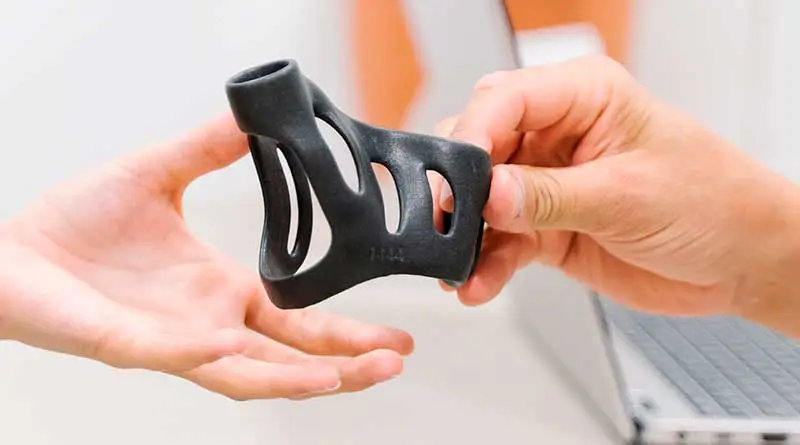
In this article, I’ll walk you through a step-by-step guide on “How to Get a Quote for 3D Printing Online,” a process that has become essential for those looking to bring their 3D projects to life.
We'll explore the benefits of choosing PCBWay, a leading online 3D printing service provider, and how its online quoting platform simplifies and streamlines the quoting process.
With PCBWay, you'll have access to a wide range of materials, printing technologies, and competitive prices.
As we go through this guide, you'll learn how to get real-time quotes and customize settings to tailor your project to your exact needs.
In addition, I provide detailed information about the payment process, order tracking, and receiving your 3D print, ensuring a hassle-free experience from the start to the completion of the project.
If you're looking for a reliable solution for your 3D printing needs and want to get accurate quotes efficiently, this guide will walk you through every step of the process and help you make the most of online 3D printing.
Advantages of PCBWay Compared to Local 3D Printing Services:
Choosing between an online 3D printing service like PCBWay and a local service can be a critical decision when embarking on a 3D printing project.
Next, we'll look at some of the key advantages PCBWay offers compared to local 3D printing services:
Wide Range of Options and Materials:
- PCBWay offers an exceptional variety of 3D printing technologies and materials to choose from.
- You can customize your project to fit your exact needs, from PLA filaments and high-precision resins to 3D printing with metals such as aluminum, stainless steel, and titanium.
- (Local service providers may offer a more limited selection.).
Competitive Prices:
- PCBWay prides itself on offering highly competitive prices for 3D printing. This can result in significant savings compared to local services, which often charge higher rates.
Real-Time Quotes:
- PCBWay offers a real-time quoting process that allows you to get accurate cost estimates instantly. This saves time and provides you with valuable information for planning your project.
Comfort and Accessibility:
- PCBWay's online quoting feature means you can start your project from the comfort of your home or office.
- You don't need to physically go to a local location, which saves time and resources.
Guaranteed Quality and Precision:
- PCBWay prides itself on delivering quality and precision with every print. Local services may vary in terms of quality, while PCBWay guarantees a high standard of excellence for every project.
Extensive Community and Resources:
- PCBWay has an active community of designers, engineers, and 3D printing enthusiasts. This means you have access to a wide range of additional knowledge and resources to help you with your project.
Efficient Monitoring and Support Process:
- PCBWay provides real-time tracking of your order and a dedicated support team that can answer your questions and address your concerns. Efficient communication is key, especially when compared to local services that may lack a clear tracking system.
YouTube Channel: PCBWay
The advantages of choosing PCBWay for your online 3D printing needs are clear. With a wide range of options, competitive prices, convenience, guaranteed quality, and a strong support community, PCBWay stands out as a reliable and efficient choice for bringing your 3D printing projects to life.
Step-by-Step Guide to Getting a Quote for 3D Printing Online:
Below, we present a detailed guide on how to get a quote for 3D printing online through PCBWay.
This process will allow you to get accurate, customized quotes for your 3D printing project.
Follow these steps to turn your design from concept into reality:
Step 1 – Registering with PCBWay:

Go to the PCBWay website and Sign up for an account.
Provide the required information, such as your email address and a strong password.
Once you've registered, be sure to enter all your personal information and shipping address to help us provide you with a quote.
Step 2 – Upload Your Design:
Once you've registered, log in to your PCBWay account. On the platform, look for the option to Upload your 3D design.
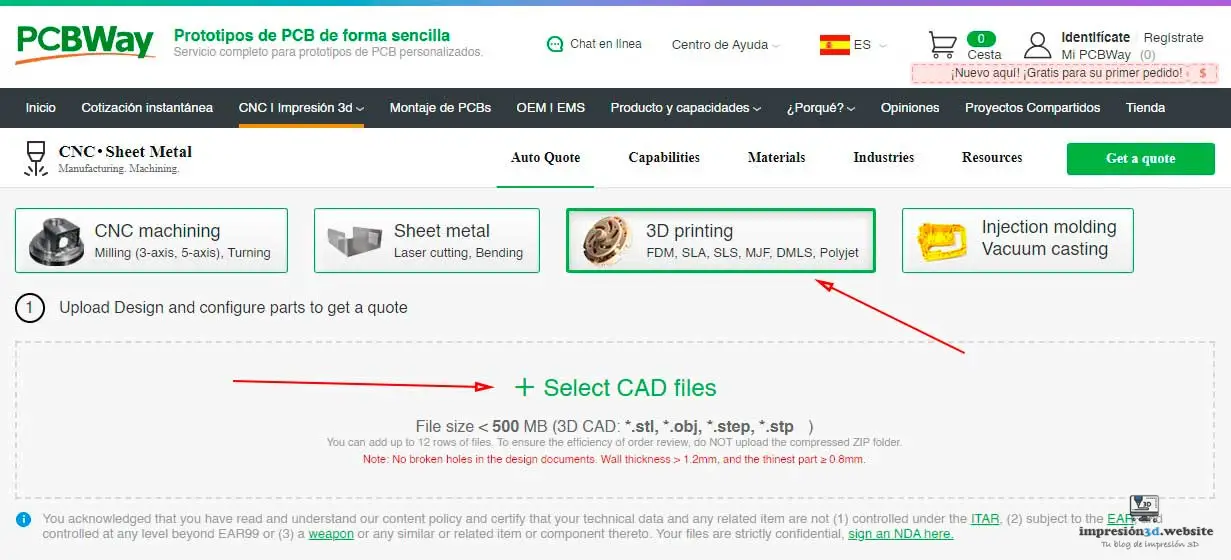
You can upload files in various formats, such as CAD, STL, OBJ, or other compatible formats.

Step 3 – Select Print Options:
PCBWay offers a variety of options; let's take a look at what each one means:
- Quantity: This is the number of prints you need to make of a single part.

- Design Units: This is the unit of measurement for your design, expressed in millimeters, inches, or centimeters.

- Material: The type of material to be used will determine the type of technology to be employed.
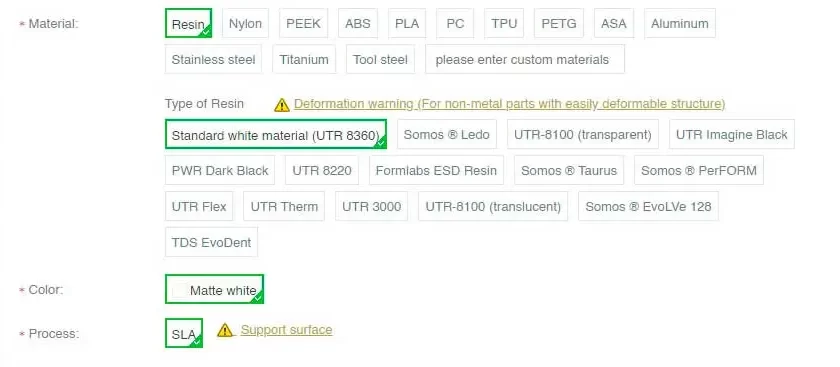
Below is a list of the materials available at PCBWay, organized by technology type:
- FDM 3D Printing: PEEK, ABS, PLA, PETG, PC, ASA
- SLA 3D Printing (Resin): Standard White (UTR 8360), We Are ® Ledo (White), UTR-8100 (Transparent), UTR Imagine (Grayish Black), PWR Dark (Black), UTR 8220 (Soft Green), Formlabs ESD Resin (Black), Somos ® Taurus (Black), Somos ® PerFORM (Ceramic White), UTR Flex (White or Black), UTR Therm (Translucent Red), UTR 3000 (Brown), UTR-8100 (Translucent), Somos® EvoLVe 128 (White), TDS EvoDent (Wax Yellow).
- SLS 3D Printing (Powder Bed): PA12, Glass-fiber-reinforced nylon (PA12+35% GF), TPU.
- MJF 3D printing: HP-PA-12
- SLM 3D Printing (Metal): Aluminum (AlSi10Mg), 316L stainless steel, TC4 titanium, tool steel.
After uploading your design, Select the printing material you want to use.
When you select the material type, the 3D printing technology will be selected automatically. For example, if you select “Aluminum,” the system will automatically choose the “SLM” printing technology.
If you select “Resin,” the print technology will be “SLA,” and you’ll be able to choose the type and color of resin to use.
Be sure to choose the printing material that best suits your project. Keep in mind that prices may vary from one material to another.
- Surface finish – Surface finish: PCBWay lets you choose from several types of finishes depending on the material you select.

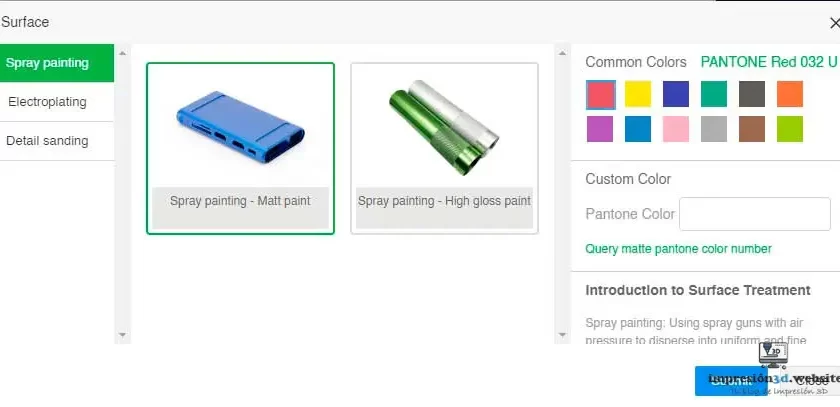
The available options include “Spray Painting,” “Galvanizing,” and “Detail Sanding.”.
Step 4 – Customize Settings:
Adjust the settings according to your needs. Let's take a look at what these options mean:
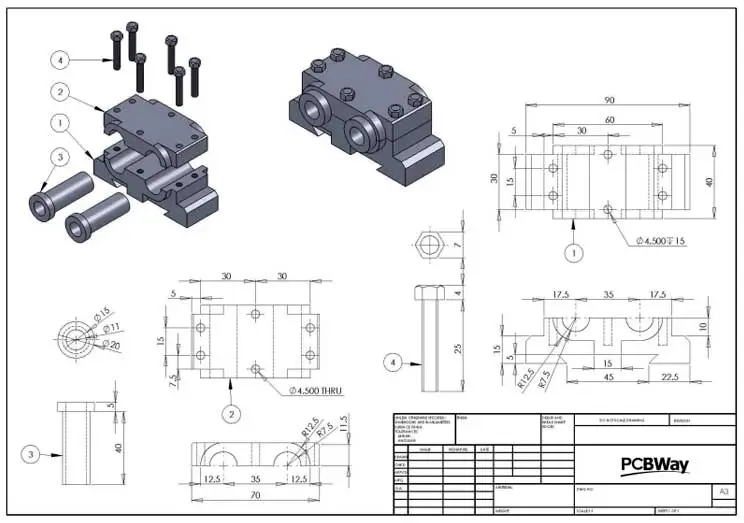
- Technical Drawing: This stands for “Technical Drawing,” and you should keep in mind that the 3D file and the part specifications selected on this screen (such as the surface finish) will take precedence over the technical drawing. Make sure the technical drawing is up to date.

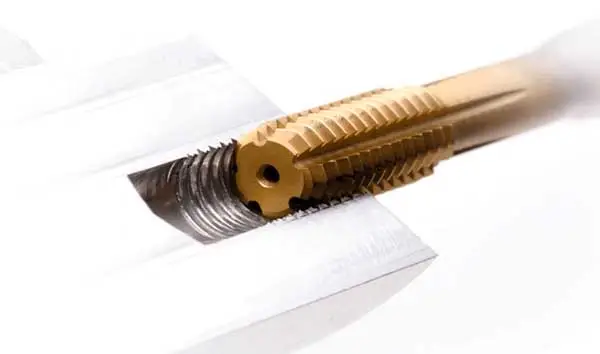
- Threads and Tapped Holes: You should only select this option if your model has threads and threaded holes.

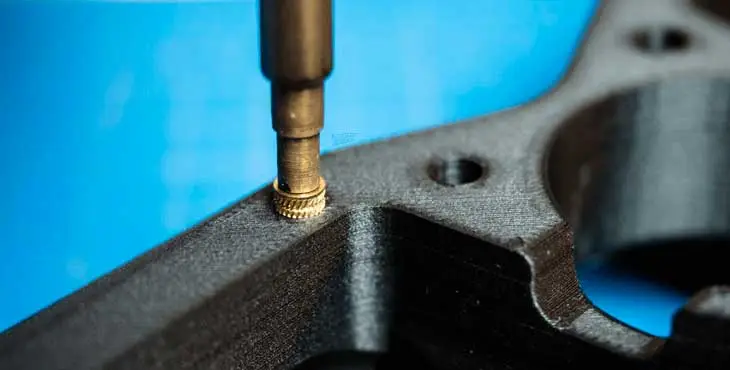
- Inserts: You must specify whether your part should include inserts.

- Part Marking: This refers to the marking of parts, which can be done by “silkscreen,” which means “screen printing,” or by “laser engraving,” which means “laser engraving.”.

- Parts Assembly: You must specify whether your parts require assembly. PCBWay will not assume any assembly risk if you do not select the option with assembly requirements.

Printing Risk: You have two options here.
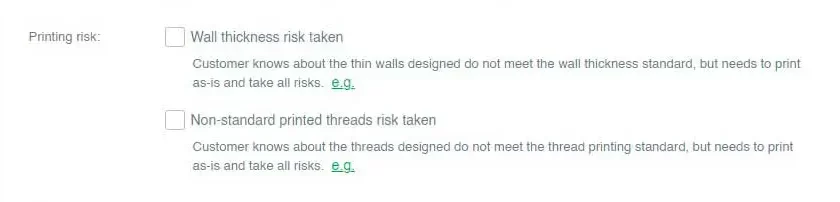
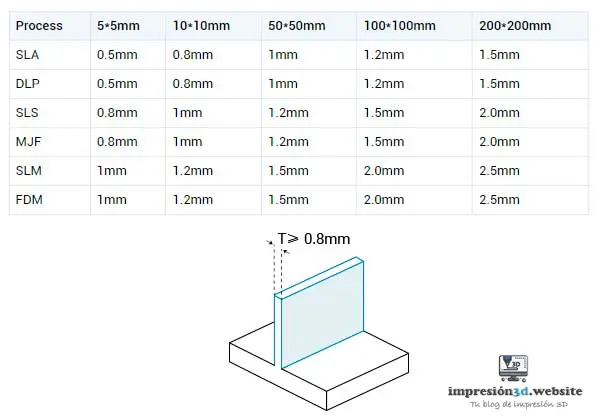
The one above “Wall Thickness Risk Assumed”Check this box if you know that the thin walls you designed do not meet the wall thickness standard, but you need to print them anyway, assuming all the risks.".
The option below, “Risk associated with non-standard printed threads” means “Accept the risk of non-standard printed threads” and should be checked only if you know that the designed threads do not comply with the thread printing standard, but you need to print them anyway and accept the risks.

Other special requests: This is where you can specify any requirements regarding the product packaging or shipping.

With each adjustment, the platform will generate a real-time quote for your project.
Step 5 – Get a quote for 3D printing:
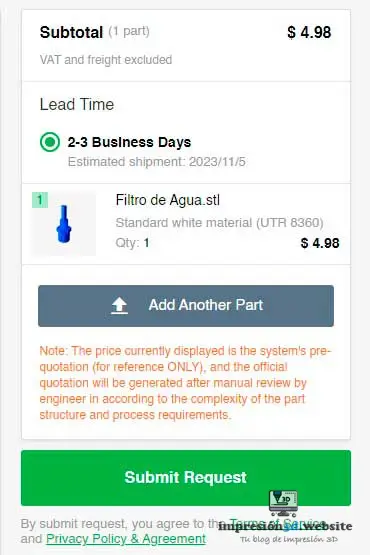
- Carefully review all the parameters and options for your project.
- The PCBWay platform will generate an accurate and detailed quote based on your selections.
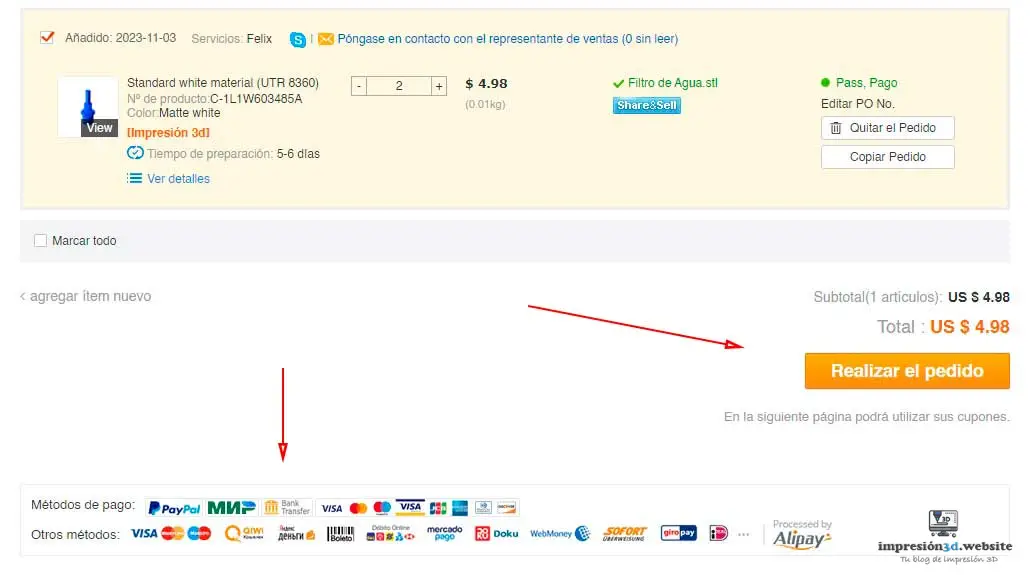
Once your order has been manually reviewed and approved by an operator, you will be able to select your preferred payment method.
Step 6 – Review and Confirm:
- At this point, you should review the shipping information and make sure your address is entered correctly.
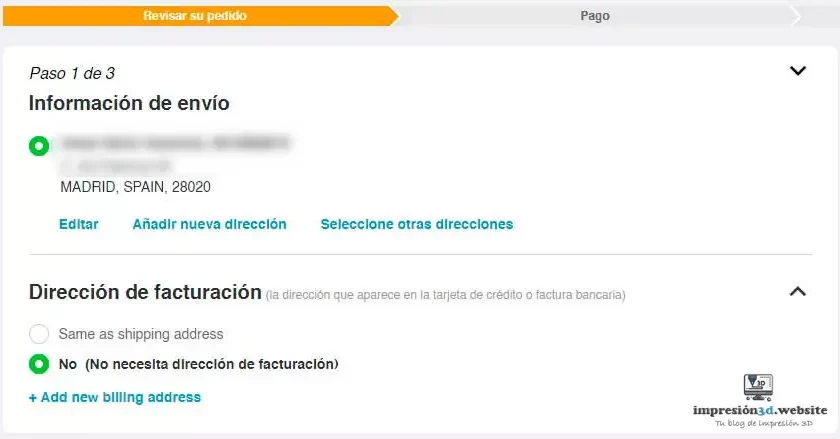
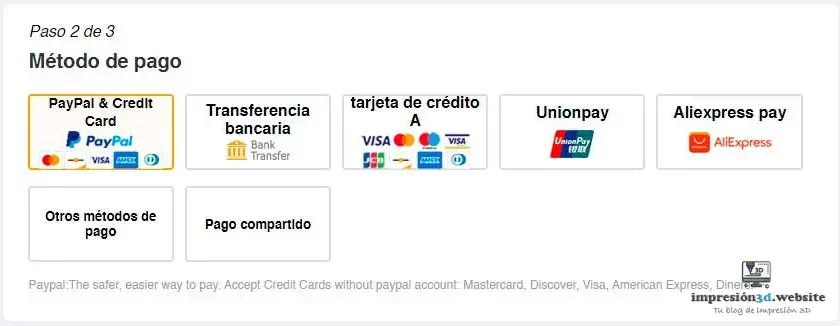
- Choose your payment method. Carefully review the quote to make sure all the details are correct and meet your requirements.
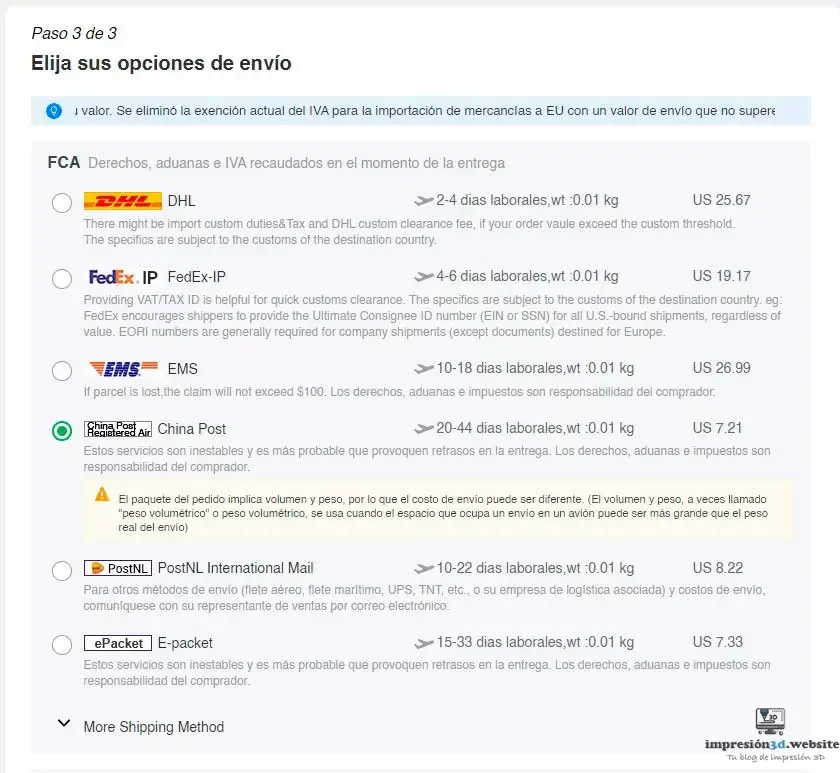
- Choose the shipping option that best suits your needs. In the example, I selected the most economical shipping option.
Step 7 – Make the Payment:
- If necessary, adjust the settings or options. Once you are satisfied with the quote, confirm the order.
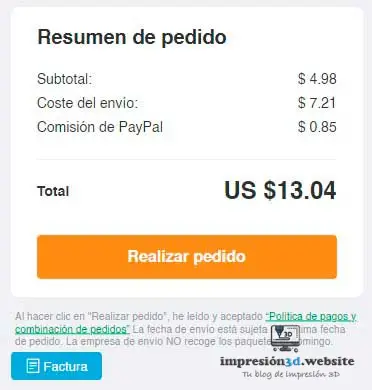
- PCBWay offers several secure and convenient payment options.
- Complete the payment process as instructed on the platform.
Step 8 – Order Tracking:
- Once payment has been made, PCBWay will provide you with real-time tracking information for your order.
- You can track the progress of your 3D print and receive updates on the status of your project.
Step 9 – Receiving Your 3D Print:
- When your order is ready, PCBWay will ship it to the address you provided during registration.
- Receive your 3D print and check the quality of the printed product.
By following this step-by-step guide, you'll be able to get quotes and receive high-quality 3D prints efficiently and conveniently.
YouTube Channel: Editronikx
PCBWay will ensure that your project is handled professionally and accurately, from the initial quote to the delivery of the final product.
Conclusion:
Online 3D printing has become an effective solution for carrying out a wide variety of projects, from prototypes to custom parts and final products.
In this step-by-step guide, we’ve explored how to get a quote for 3D printing online, focusing on the experience provided by PCBWay.
Choosing PCBWay as your online 3D printing service provider offers numerous advantages. From its wide range of options and materials to the convenience of getting a quote from your own location, PCBWay stands out as a reliable and affordable solution.
PCBWay's online platform allows you to customize every aspect of your project and get accurate quotes in real time.
In addition, PCBWay guarantees quality and precision in every print, which is essential for the successful realization of your designs.
The ability to track the progress of your order and receive real-time updates is an added benefit that ensures a hassle-free experience.
Getting an online quote for 3D printing through PCBWay is an essential step for anyone looking to bring their projects to life.
This guide has provided you with a clear and detailed process that will allow you to obtain accurate, customized quotes. With PCBWay as your partner for online 3D printing, you can trust that your designs will be produced with quality, precision, and efficiency.
Don't hesitate to explore all the options and services PCBWay has to offer, and start turning your ideas into reality through online 3D printing. Innovation and creativity know no bounds when you have a reliable partner like PCBWay.
Responses