What should you do after 3D printing?

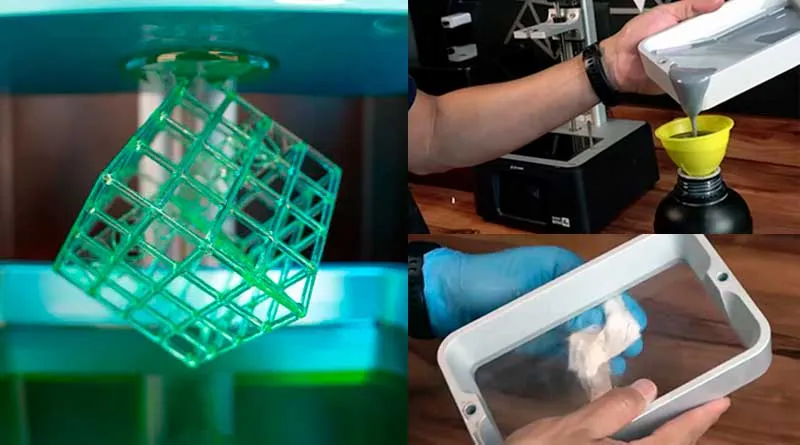
After 3D printing, wait 5 minutes for the resin to drain, carefully remove the part from the print bed, and clean both the print bed and the printed parts. Next, you should remove the supports and cure the parts with UV light. It’s also important to empty any unused resin from the printer’s tank and clean it thoroughly for your next print.
After completing a successful 3D print, it is important to follow a series of steps to ensure that the printed part is of the highest possible quality and to prevent future problems.
The procedures vary depending on the type of 3D printer used: FDM (Fused Deposition Modeling) or resin printers.
Next, I'll show you what to do after 3D printing in both cases, so that your printed models have a professional, long-lasting finish.
What to Do After 3D Printing with FDM Printers
1. Remove the part from the print bed
Once printing is complete, It's important to let the piece cool for about 5–10 minutes. before removing it from the print bed. This will ensure that the part is below the softening temperature and prevent warping.
Use a spatula or other suitable tool to carefully lift the edges of the part and gently peel it off the print bed.
2. Clean the Nozzle
It is recommended that you clean the printer nozzle after each print job.
Use a dry cloth to wipe away any residue or fibers that may have stuck to the surface.
This will keep the nozzle in good condition and prevent clogs in future prints.
Here you can read a full post on how to How to Clean a 3D Printer Nozzle.
3. Clean the print bed
Before starting a new print, it is essential to clean the print bed of any residue or adhesive that may have remained.
Use isopropyl alcohol and a clean cloth to clean the surface of the bed, making sure it is free of dust and grease.

4. Remove the filament from the printer and store it
After printing, carefully remove the used filament from the printer to prevent moisture and dust from accumulating on the spool.
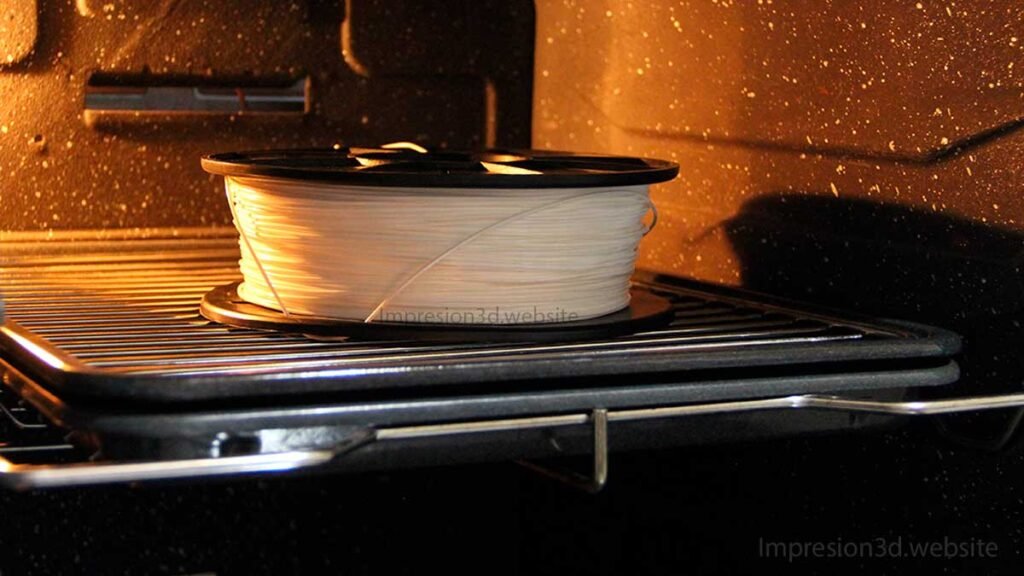
If you don't plan to print again in the near future, it's a good idea to store the filament in an airtight bag with a packet of desiccant to keep it dry and in optimal condition.
If you didn't know, Moisture buildup on the filaments can cause major problems, here's a post you might find interesting: Moisture in 3D Printing Filaments: Main Consequences
5. Perform a visual inspection and verify the model's dimensions
Before considering the print job complete, Perform a visual inspection of the printed model to check for imperfections, layer issues, or printing defects.
In addition, Check the dimensions of the model with the original specifications to ensure that the print is accurate and has the correct dimensions.
6. Remove supports and excess filament
If the printed model requires support structures, carefully remove them using pliers or other appropriate tools. Then, trim any excess filament or small imperfections with scissors or a utility knife, making sure to achieve a clean, professional finish.
7. Post-process the printed model
Post-processing refers to the set of techniques applied to the printed model to improve its aesthetic and functional finish.
Depending on the material used, this may include sanding, painting, varnishing, applying resins, and other processes.
What to Do After 3D Printing with Resin Printers
1. Let the resin drain
When printing is complete on a resin printer, the printed part will be submerged in liquid resin.
It is important to let it drain for a few minutes so that excess resin is removed, thereby reducing the curing time and preventing unnecessary buildup of material on the part.
YouTube Channel: Your 3D Password
2. Separate the part from the printing plate
After the resin has drained thoroughly, carefully separate the part from the build plate to avoid damaging it.
Use a spatula or other suitable tool to lift the edges of the part and separate it from the print bed.
3. Clean the printing plate
Once the part has been removed, it is important to clean the print bed with isopropyl alcohol to remove any resin residue and ensure good adhesion for future prints.
4. Clean the printed parts
After separating the part from the plate, it must be cleaned thoroughly to remove any uncured resin residue.
You can do this by soaking it in isopropyl alcohol and using a soft brush to remove any excess material.
5. Remove the supports
Just as with FDM printing, resin printing also uses supports to hold the model in place during printing. Carefully remove these supports using pliers or other appropriate tools.
6. Cure the parts with UV light.
After removing the supports and thoroughly cleaning the parts, they must be cured with UV light.
This will ensure that the resin is fully cured and that the part has maximum strength and durability.
7. Empty the resin from the printer tank
Once printing is complete, it is important to empty the unused resin from the printer's tank.
Remove the tray and pour the resin into a light-proof bottle.
Use a funnel and a bottle to store the unused resin, making sure not to spill or contaminate it.
Do not mix the used resin with the new resin; you can reuse the used resin.
YouTube Channel: CLV Mexico
8. Clean the printer tank
After emptying the resin, clean the printer tank with isopropyl alcohol to remove any resin residue and keep it clean and in good condition.
9. Post-process the printed model
If necessary, you can begin the post-processing step. You can use techniques such as sanding and painting to achieve a high-quality final result.
Conclusions
After 3D printing—whether with FDM printers or resin printers—it's important to follow a series of steps to ensure you get a high-quality, durable printed model.
With the FDM 3D printers, After the print is complete, you should carefully remove the part from the print bed, clean the nozzle and the bed, remove the filament, and perform a visual inspection to check the dimensions and look for any imperfections.
In addition, you must remove the support structures and perform post-processing to improve the model's finish.
With the resin 3D printers, After printing, let the resin drain off, carefully remove the part from the print bed, and clean both the print bed and the printed parts.
Next, you should remove the supports and cure the parts with UV light. It is also important to empty any unused resin from the printer tank and clean it thoroughly for your next print.
These steps ensure that your 3D-printed models have a high-quality finish and remain in good condition over time.
Frequently Asked Questions:
How do you clean a resin 3D printer?
To clean a resin printer, it is important to follow a series of steps. First, empty the unused resin from the tank and clean it with isopropyl alcohol. Next, carefully remove the printed part from the build plate and clean it with isopropyl alcohol. Finally, remove the supports and cure the parts with UV light.
How do I clean the nozzle on an FDM 3D printer?
To clean the nozzle of an FDM printer, wait until it has cooled down and use a soft cloth with a little isopropyl alcohol to wipe away any residue or filament that may be stuck to it.
How long does it take for 3D-printed parts to cure?
The curing time for 3D-printed resin parts can vary depending on the type of resin used and the intensity of the UV light used in the process. In general, curing time can range from a few minutes to an hour or more.
With these tips and steps, you can ensure you get the best results when 3D printing and keep your printer in top condition for future prints. Always remember to follow the manufacturer’s recommendations and use the right materials to get the best results. Enjoy 3D printing and create amazing models!

[…] What should you do after 3D printing? […]
[…] I invite you to read: “What Should You Do After 3D Printing?” a post that can […]