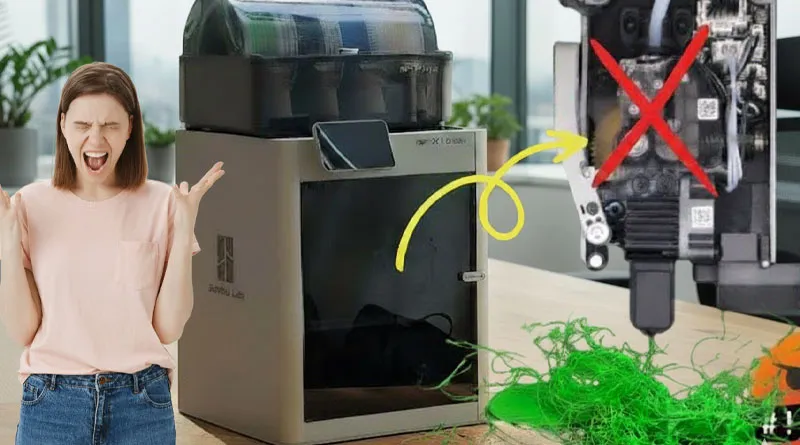
No filament is coming out of the extruder

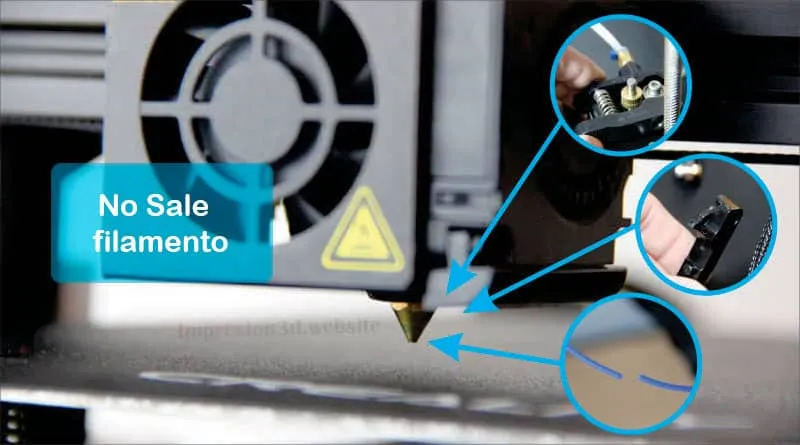
The extrusion system is one of the most important parts of our printer, as it is responsible for feeding the filament through a Teflon tube with the help of a gear, feeding the filament to the hot end, where it is melted and extruded.
When no filament comes out of the extruder, it means that Something isn't right, and we need to fix it..
Here they are 8 Reasons Why Filament Isn't Coming Out of the Extruder.
1. The filament has run out or been cut
If no filament comes out of the extruder It's possible that the filament ran out, dried out, and that's why it broke..
One of the reasons why PLA filament can break is humidity; I invite you to read about it here.
Solution:
The solution is to heat the nozzle so you can remove the remaining filament and load the new filament.
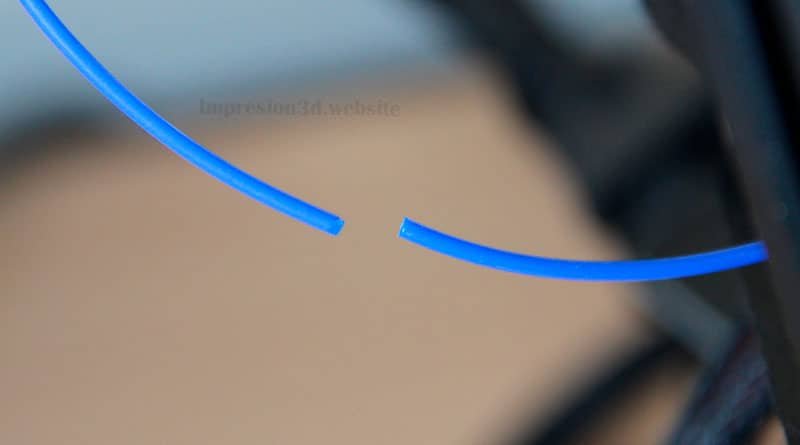
2. The filament in the nozzle melted
Many printers when preheating melt the filament and when printing starts, no filament comes out of the nozzle, sometimes resulting in a misshapen or incomplete first layer.
Solutions:
Manually feed the filament
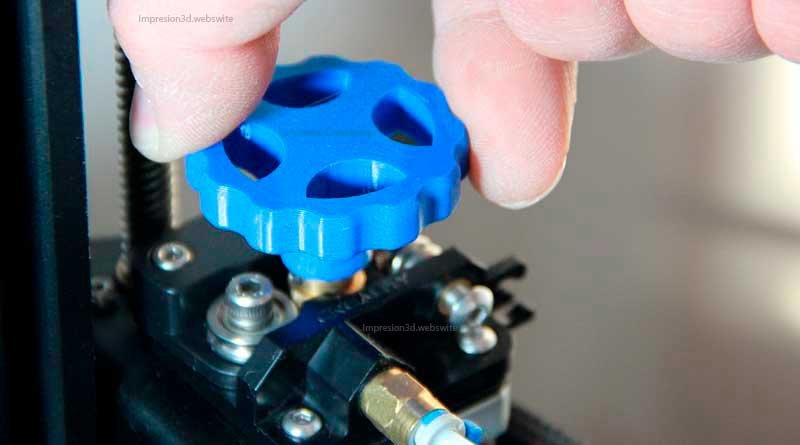
The first solution involves manually feeding the filament to verify that It really comes out out of the nozzle.
Depending on the type of printer you have, you can print a wheel to rotate the NEMA motor, or manually by squeezing the extruder arm and pushing the filament with your hands.
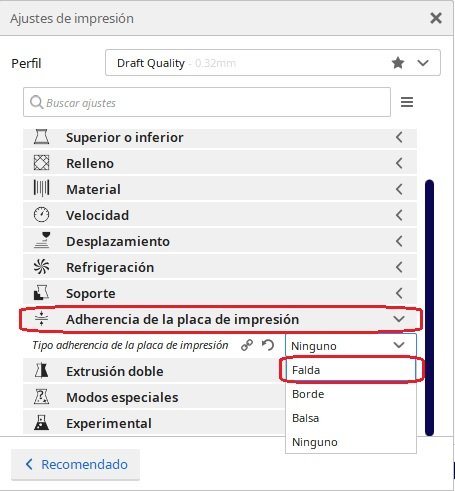
Enable the "Skirt" option
One way to ensure that the filament comes out of the extruder on the first layer is to enable the Option: Skirt in our favorite rolling machine or slicer.
This option will allow the printer to make a specified number of passes around the model before starting to print the first layer.
This will give the extruder enough time to feed the necessary filament and begin extruding it onto the heated bed.
I invite you to read: Borde Skirt or Balsa Skirt: Which One Should You Wear in Cura?
3. Nozzle too close to the bed
Sometimes the nozzle is too close—it's even touching the bed. This prevents the plastic from extruding normally, causing errors in the first layer.
Solutions:
Level the bed
One of the most common mistakes beginners make is failing to level the printer bed.
Leveling the printer bed is VITAL to ensure high-quality prints, since failing to do so can lead to other types of errors that will affect the quality of our work.
One of the consequences of not leveling the bed is having the nozzle is too close to the base, preventing the filament from feeding properly in all areas.
LEVEL THE BED and you'll see the results
Change the initial layer height
In the laminator or slicer, set the initial layer height to 0.2 mm to ensure that the filament can feed through the hot end properly.
Print the first layer at a lower height than that will cause errors, such as excess filament coming out the sides of the nozzle, or a lack of filament combined with that the horrible sound of the extruder skipping steps, like the infamous “tac tac tac”

4. Clogged nozzle
Inexpensive, low-quality filaments that are not subjected to quality testing by their manufacturers may fail to meet specifications, whether in terms of diameter, hardness, or longer fuse times.
This can lead to clogs inside the nozzle, preventing the filament from coming out.
Solution:
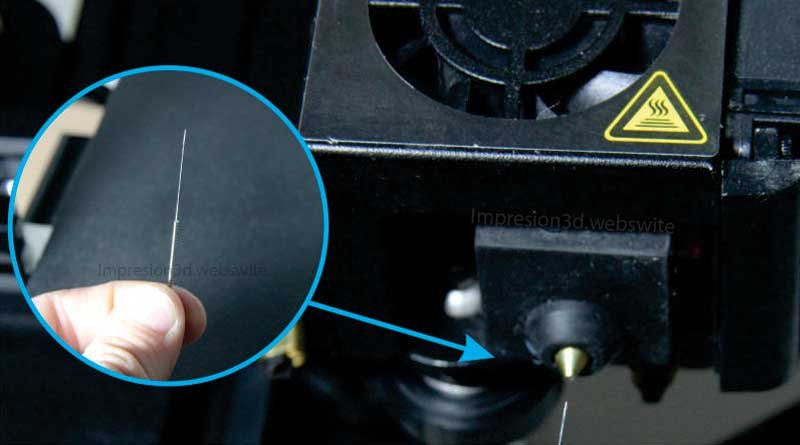
Heat the set the temperature to the one corresponding to the filament being used, even about 10 degrees more, and insert a needle to open it.
I invite you to read: How to Clean a 3D Printer Nozzle
5. Damaged extruder
If at this point you already have filament, you've leveled the print bed properly, there are no clogs, and yet the extruder still isn't pushing filament, Then there is a problem with the extrusion system.
The extrusion system can cause a lot of problems if your 3D printer is a budget model made with inexpensive materials, such as the Creality Ender 3.
That's what happened in my case—little by little, all the plastic parts of the extrusion system, which were of very poor quality, started to break. Let's take a look at what those parts are and how to fix them.
Broken extruder arm

It is one of the most common extrusion issues and is closely associated with low-cost printers that use a Bowden tube system, such as the Ender 3.
The original extruder on some machines is made of plastic, and at some point it breaks or malfunctions in some way.
Solution:
You'll need to buy a new extruder, preferably made of metal or aluminum. It is a vital part of the extrusion system and must never fail.

I recommend this one aluminum extruder on Amazon, which has double gear wheels for better filament feed.
Screws that are too loose or too tight
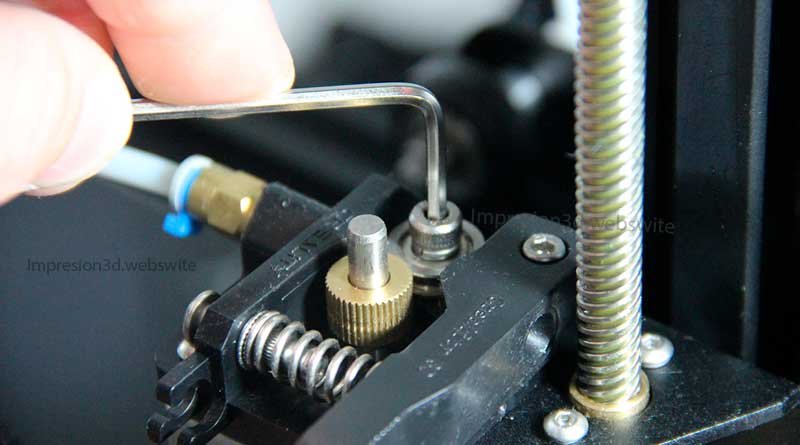
Sometimes the screws on the extruder arm will be too tight o too weakYes, preventing the spring from working properly.
If no filament is coming out of the extruder, it's because the extruder arm isn't engaging with the gear properly.
For the extruder to work properly, the arm You must tighten the filament with the gear wheel.
Solution:
Tighten or loosen the screws (as needed) so that the filament is pressed against the NEMA motor's gear and can feed smoothly into the Bowden tube.
6. Dirty or broken gear
The gear is responsible for pushing the filament through the Bowden tube. A dirty gear This will cause the motor to miss steps and prevent the filament from reaching the hot end properly, leading to problems sub-extrusion.
Solution:
Always keep the gear clean. If necessary, replace it with a new one.

7. Damaged air couplings
Another common problem with printers that use a Bowden-style extrusion system is broken pneumatic couplings. These couplings hold the tubes through which the filament travels securely in place on the extruder and hotend.
When these couplings are of poor quality, they break or become misaligned, causing the Bowden tubes to shift outward as the filament enters.
The filament is not coming out of the extruder, causing under-extrusion or a lack of filament.
Solution:
Any Racor coupling that has failed, It must be replaced with a higher-quality one.
For example: The Ender 3 printer uses a M6 Racor fitting for a 4-mm Teflon tube and the hotend uses a 3/8" Racor through-type fitting for 4 mm Teflon tubing.
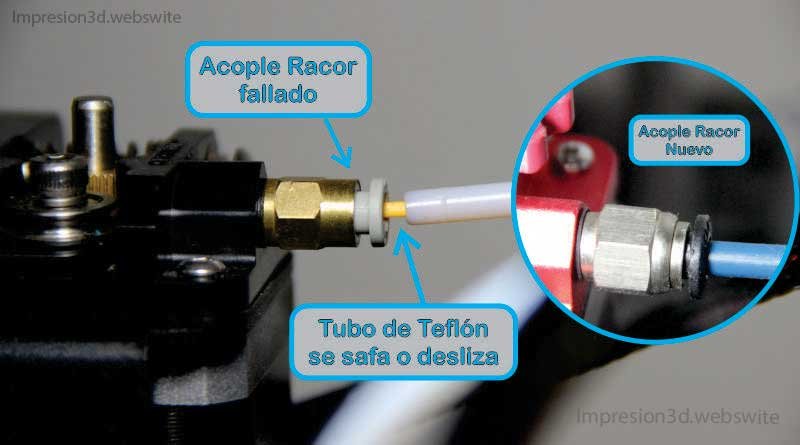
Here you can see an offer on Amazon for the two couplings that come with the extruder: PC4-M10/PC4-M6 Pneumatic Connectors
8. Burnt Teflon tube
Another reason why filament isn't coming out of the extruder—or rather, the hot end—on a 3D printer is that the Teflon tube has burned.
This will depend on the type of printer you have, but it's more common than you might think, and The cause of most under-extrusion problems.
One reason this happens is that the hot filament itself I burned the Teflon tube and block its outlet.
The causes may be due to a manual filament retraction, while it is at high temperatures, ranging from 210 °C to over 260 °C
Here's a Capricorn Brand PTFE Bowden Tube Offer which includes 4 pneumatic couplers, 4 springs for the print bed, and 1 meter of Capricorn tubing with 1 tubing cutter on Amazon
No filament is coming out of the extruder:
Summary:
- The filament has run out or been cut.
- The filament in the nozzle melted.
- The nozzle is too close to the bed.
- Clogged nozzle.
- Damaged extruder.
- Dirty or broken gear.
- Damaged Racor couplings.
- Burnt Teflon tube.
Good luck with your projects, and thank you very much for visiting..
Responses