What is warping in 3D printing?

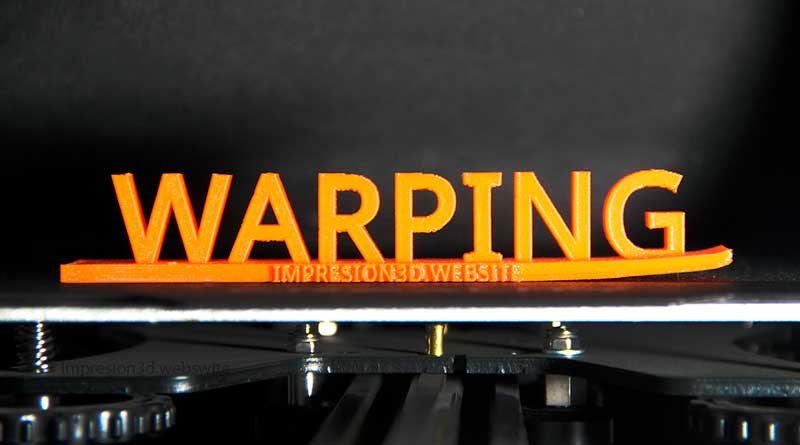
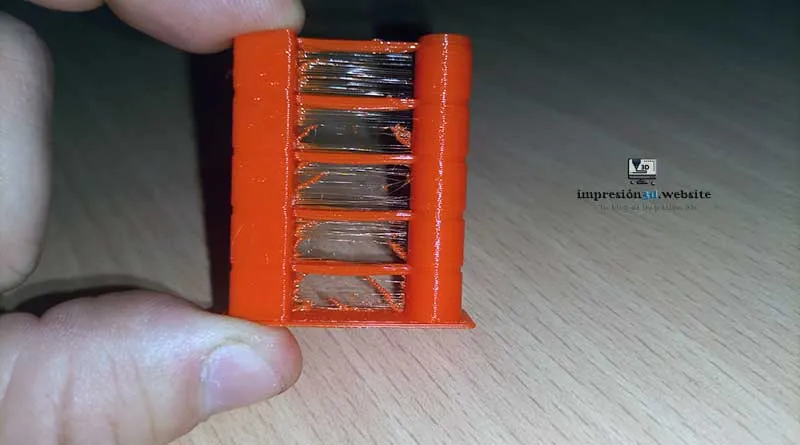
Warping, also known as deformation or curling, is a common problem that can occur during the 3D printing process. It occurs when the corners or edges of the printed object lift or curl upward, away from the surface of the print bed.
This can negatively affect the quality and accuracy of the print, and in extreme cases, it can even cause the part to detach completely from the print bed and result in a complete print failure.
Understanding the causes of warping and knowing how to prevent and correct it is essential for achieving successful, high-quality 3D prints.
What Causes Warping?
Warping is primarily caused by internal stresses in the printing material, especially in materials such as ABS and PETG.
When a layer cools rapidly, it tends to shrink and can exert forces that cause the part to warp. In addition, temperature differences between the print bed and the part can also contribute to warping, since sudden temperature changes affect the material's adhesion to the print surface.
When one layer is deposited on top of the previous one, the lower layer cools and contracts slightly. If the next layer is deposited too quickly or if the temperature is too low, the upper layer can exert stress on the lower layer, which can cause it to deform or warp.
If this process is repeated layer by layer, the accumulated stress may be sufficient to significantly deform the part.
Factors That Can Contribute to Warping
Factors that can contribute to warping include a print temperature that is too low, an improperly leveled print bed, a cooling rate that is too fast, and a lack of adhesion between the part and the print bed.
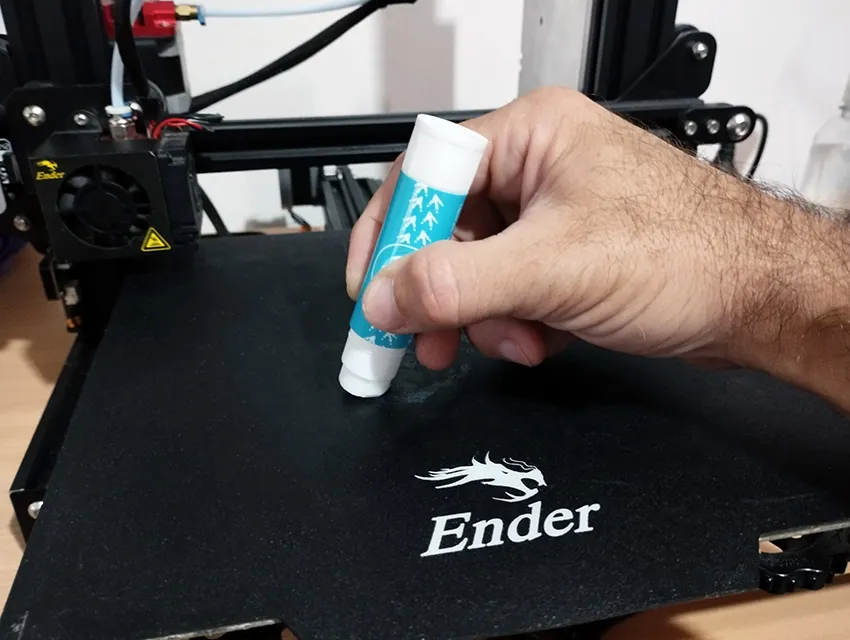
To prevent warping, it is important to follow certain guidelines, such as adjusting the print temperature, properly leveling the print bed, and using adhesives like Kapton tape or a glue stick to help the part adhere to the print bed.
Warping is more common in plastic materials such as ABS and PETG, but it can occur in any material used for 3D printing.
Causes of Warping
- Inability to stay in bed.
- The bed isn't level.
- The type of filament you'll be using and its melting temperature.
- Bed temperature based on filament type.
- Sudden changes in room temperature.
1. Inability to stay in bed.
Poor adhesion of the first layer to the print bed can cause the part to peel off and warp during printing.
A dirty bed with dust that hasn't been cleaned up could be the cause.
Always clean with water or alcohol and a cloth to ensure that the heated bed is thoroughly clean and dust-free.
Another possible cause is a bed that is not level or is poorly leveled.
To learn more about adhesion to the print bed, I invite you to read: Skirt or Raft: Which One to Use in Cura?
2. The bed is not level.
If the print bed is not properly leveled, there will be variations in the distance between the nozzle and the print surface, which can cause warping.
With a properly leveled bed, you'll not only achieve stable, high-quality prints, but also perfect adhesion to the bed.
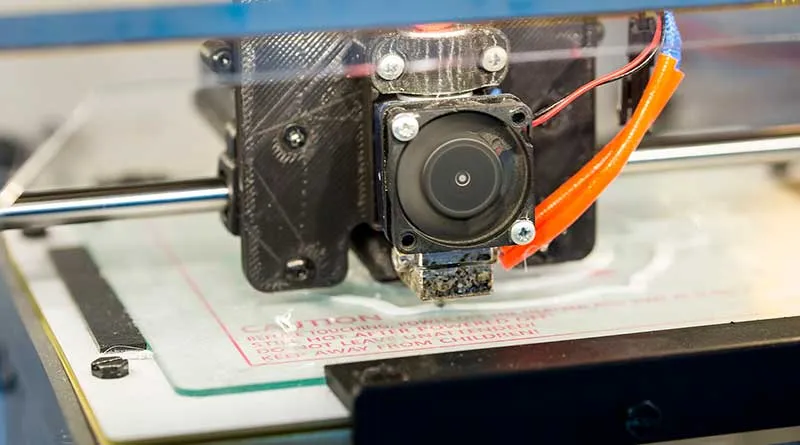
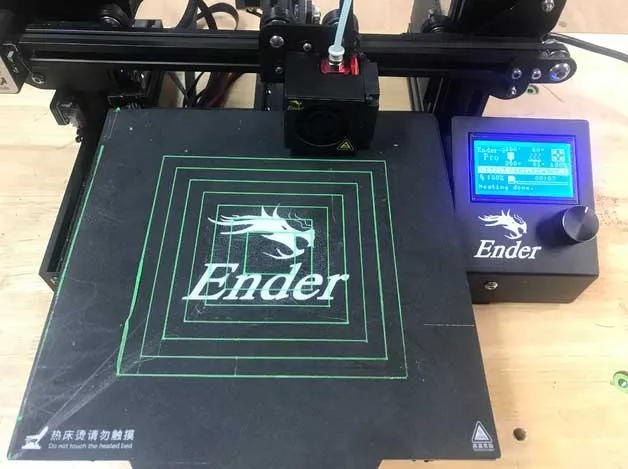
For printers with manual leveling, such as the Ender 3, I invite you to read: How to Properly Level the Build Plate on Your 3D Printer
3. The type of filament you'll be using and its melting temperature.
Each filament has its own thermal properties and shrinkage characteristics as it cools. Using the correct temperature for each type of filament is key to preventing warping.
There are different types of filaments, and for each one, manufacturers will provide a recommended print temperature as well as the temperature for the heated bed.
These temperatures vary from brand to brand; each manufacturer will indicate them on a label on the filament spool or specify them on the box or packaging.
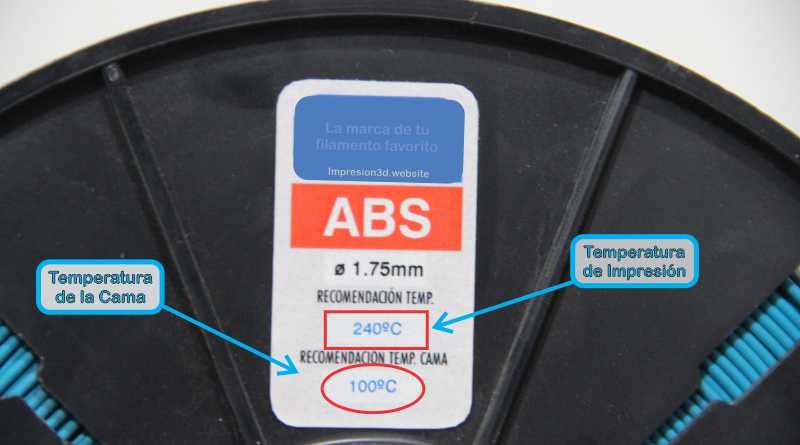
Failure to follow these recommended temperatures will cause warping problems in your 3D prints.
It is important to follow these temperature guidelines and, if possible, run tests to determine which one works best for your printer.
To understand what the optimal temperature is for your filaments, I invite you to read: Temperature Tower: Better Quality for Your 3D Prints
4. Bed temperature in relation to the type of filament.
The bed temperature should be adjusted according to the type of filament used. A bed that is too hot or too cold can cause adhesion and warping issues.
Just as in the previous point, you should keep in mind that Make sure the heated bed temperature is appropriate for the type of filament you'll be using.
- PLA between 0° and 60°
- PETG between 60° and 90°
- ABS or NYLON between 80° and 100°
Now that you know the proper temperature for your filament, you should Preheat the heated bed for about 5 minutes before you start printing, to ensure that the entire base heats evenly across its entire surface.
5. Sudden changes in room temperature.
Cold air currents in the print area can affect the temperature of the part while it is printing and contribute to warping.
If your hot bed is clean, has good adhesion, is properly leveled, and your temperatures are correct, Your print may still fail due to cold air drafts.
Not only can layers peel away and cause warping, but it can also lead to what is known as “cracking,” which refers to “layers peeling away” and leaving gaps in your print.
When printing technical materials such as ABS, PETG, or nylon, you should take special care with the drafts, since they could ruin your work.
Controlling temperatures is key to preventing warping or deformation of your pieces.
YouTube video: Lab-Robotics Spanish
How to Prevent Warping in PLA, PETG, and ABS?
Warping can be a challenge, but there are techniques and adjustments you can use to prevent this specific problem with different materials:
How to Prevent Warping in PLA:
Make sure the print bed is properly leveled to ensure good initial adhesion.
Use a print surface such as adhesive tape, a heated bed, or a PLA-specific adhesive to improve adhesion.
Slow down the cooling rate of the first layer to minimize internal stresses in the material.
Use a layer of lacquer or tape to prevent cold drafts from circulating around the printer.
How to Prevent Warping in PETG:
Increase the temperature of the print bed to improve adhesion.
Use a sheet of PEI or Kapton tape on the print bed for better adhesion and easy removal of the part.
Print in an enclosed space to maintain a constant ambient temperature and reduce cold drafts.
How to Prevent Warping in ABS:
Use a heated bed set to a temperature suitable for ABS (usually around 90–110°C).
Consider using adhesives such as glue sticks or a solution of acetone and ABS for better adhesion.
Place the printer in a location protected from drafts and, if possible, create an enclosed space to maintain a stable temperature.
ABS (Acrylonitrile Butadiene Styrene) is a material prone to warping due to its high coefficient of shrinkage. Here are some tips for preventing warping when printing with ABS:
In my experience, enclosing the printer is the best way to get good results with ABS. You can build one out of wood or cardboard, or if you don't have those skills, you can buy one on Amazon that's compatible with your printer model.
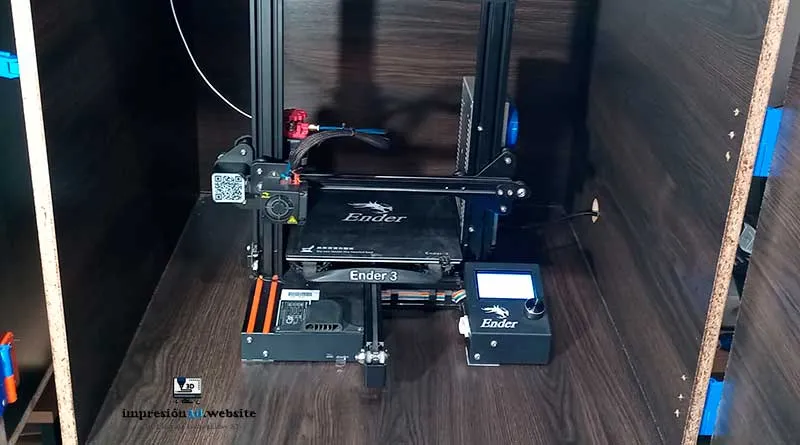
Remember to check the dimensions of your printer before buying one..
The printing temperature for ABS must be higher than that for other materials, between 230 and 260 degrees Celsius. Be sure to follow the manufacturer's recommendations.
3D printers have fans to cool the part after each layer. When printing with ABS, it's best to turn off the fan or reduce its speed.
Make sure the printer is level:
An improperly leveled print bed can cause the part to warp or bend. Make sure the print bed is properly leveled before you start printing.
By following these tips, you'll be able to significantly reduce warping when printing with PLA, PETG, and ABS.
by The Products November 24, 2018
Remember to experiment with different settings until you find the one that works best for your printer and the material you're using.
How to Correct Warping in 3D Printing
In some cases, even if you take precautions, warping may still occur during printing. Here are some steps you can take to fix the problem:
Improves Adherence.
- Clean the print bed with water or alcohol. This will remove all the dust and allow the plastic to settle on the base. Never forget to do this.
- Always use an adhesive or spray lacquer to help your part adhere better to the heated bed. You can use a special 3D printing spray, regular hairspray, or even rubber cement.
- Always reduces the speed of the first layer, to give the filament time to adhere properly to the bed. In my experience, a speed between 15 mm/s and 20 mm/s is ideal.
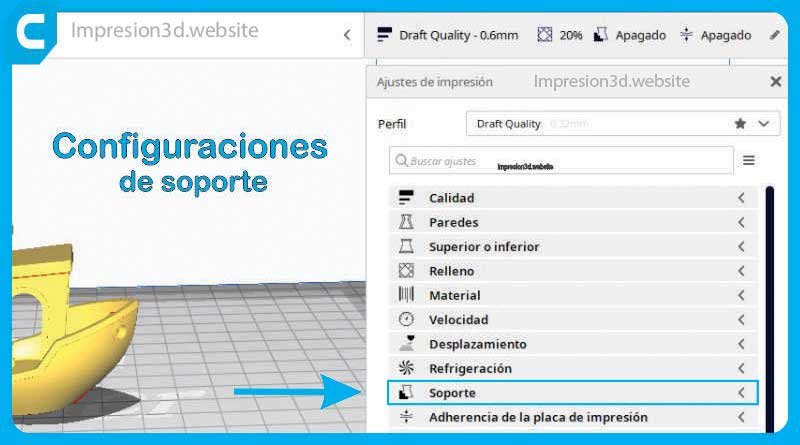
- Add about 10 turns of “Brim” or “Edges” on your favorite laminator. This will help keep your piece from peeling off as easily.
- If your printer's original base isn't high-quality, you can try replace it with a glass one and see what results it gives you.
- Remember preheat the hot bed a few minutes before printing begins.
Improves temperature
- Reduce the speed of the boundary layer fan by at least 50%. This will prevent the layers from cooling too quickly, which could cause the part to shrink. If necessary, you can also turn it off.
- If your printer isn't locked, you can try build a box or enclosure that keeps the temperature inside it stable, preventing outside drafts.
- Keep your filaments in good condition, since many of them absorb moisture from the air.
Conclusions
Warping is a common challenge in 3D printing, but with the right knowledge and necessary adjustments, it is possible to prevent and correct this problem.
Be sure to level the print bed properly, use the correct temperature for the filament you're using, and avoid sudden changes in room temperature. Also, consider using print surfaces and adhesives that improve adhesion.
With these tips, you'll be able to produce high-quality 3D prints without warping issues.
Frequently Asked Questions:
Why does a 3D print warp?
A 3D print can warp due to a phenomenon known as warping, which occurs when internal stresses in the material and temperature differences between the print bed and the part cause the edges or corners of the print to lift or curve upward.
Why does PLA peel off the print bed?
PLA lifting off the print bed may be due to a lack of initial adhesion. This can happen if the print bed is not properly leveled, if the bed temperature is not suitable for PLA, or if the print bed is dirty.
Why does my 3D print warp?
Warping or curling of a 3D print can be caused by internal stresses in the material and temperature differences between the print bed and the printed part. It is important to follow the techniques described above to prevent and correct warping and thus achieve high-quality prints.
Thanks for your blog—it's a pleasure to read. Keep it up.