How to Change the Nozzle Size in Cura

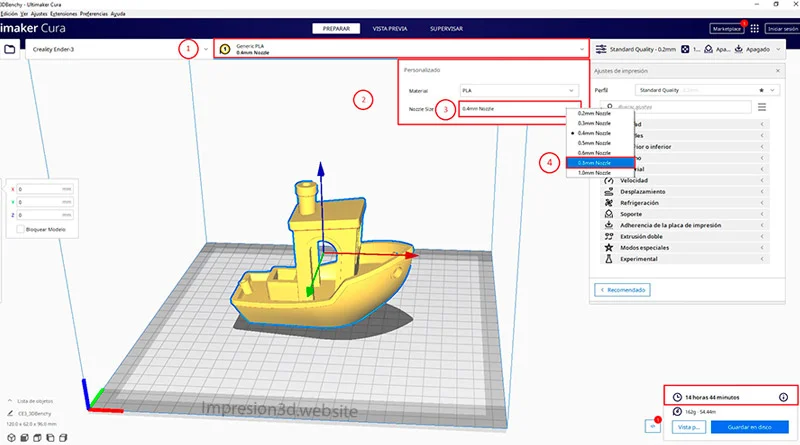
To change the nozzle size in Cura, go to the top menu, where the filament type you're using is listed, and click on it. This will open a new window with 2 options for selecting material and nozzle size. When you click on "Nozzle Size," you can select the size of the nozzle you are using.
For older versions of Cura, you'll need to go into your printer's settings and manually adjust the nozzle size.
Changing the Nozzle Size in Cura
The nozzle size is very important; it is used to calculate the width of the infill lines and to determine the number of wall lines as well as their thickness based on the provided parameters.
It may be that you changed the size of your printer's nozzle—whether out of necessity or to experiment—and then encountered multiple errors because you hadn't configured the new nozzle in Cura.
In the new versions of Cura, it will be easy to do, since you just You'll need to go to the top menu, which shows the type of filament you're using, and then click Select the size of your new nozzle.
After making the change, a message may appear asking if you want to save the changes or restore the default settings for the currently selected profile.

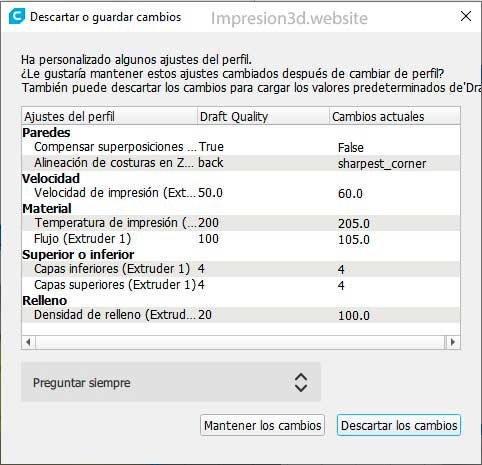
In this case, you've probably made changes to the settings in the profile you were using, and now Cura is basically asking you if Do you want to keep those changes? or if you want to discard them so that they Load the default values.
On the left side of the image, you'll see "Settings," which I've modified in my case, and on the right, the default values and the modified ones. Now Cura is asking me if I want to keep them. In my particular case, I do want to keep them because they work for me, so I click on Keep the changes.
If the changes don't work for you, you can click on Discard the changes.
From this point on, your new nozzle is configured in Cura, and you can browse through the print settings to see all the changes.
Changing the Nozzle Size in Older Versions of Cura
In older versions of Cura, users had to access the printer settings and manually change the nozzle parameters.
Let's take a look at a step-by-step guide for versions prior to 4.7
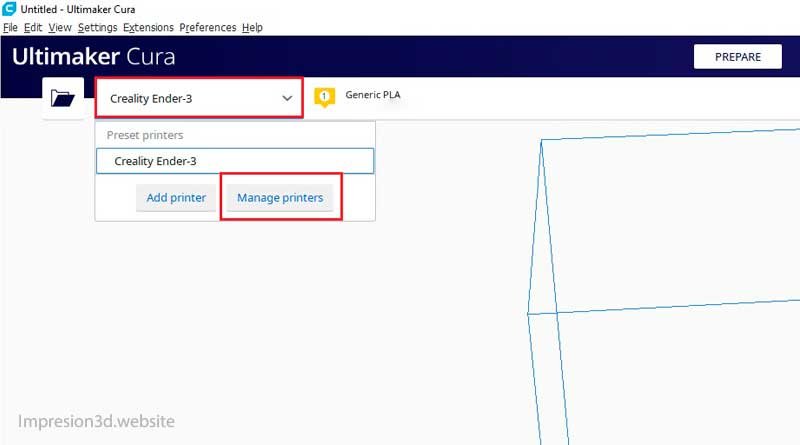
First, go to the printer settings by clicking on your printer's name in the top-left corner.
Then click on “Manage printers”
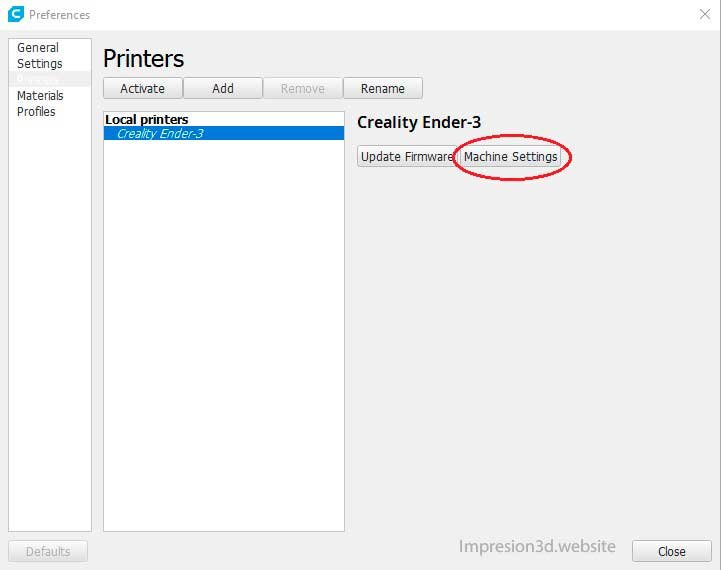
The printer settings window will open, and there you'll click on "Device Settings.".
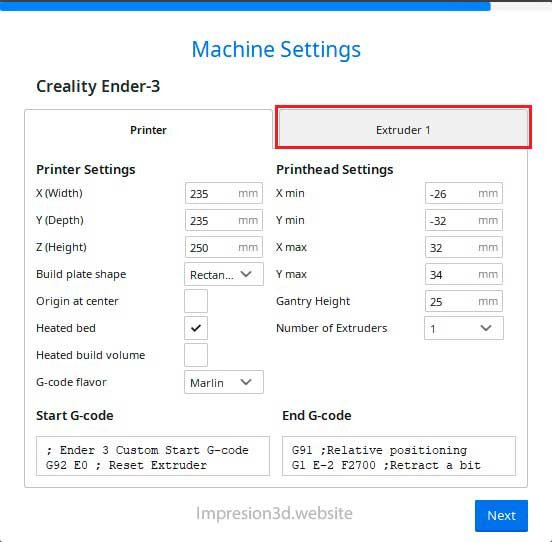
In this window, you'll see all of your printer's settings. In this window, click “Extruder1“
And finally, you'll adjust the nozzle size by selecting the appropriate number.
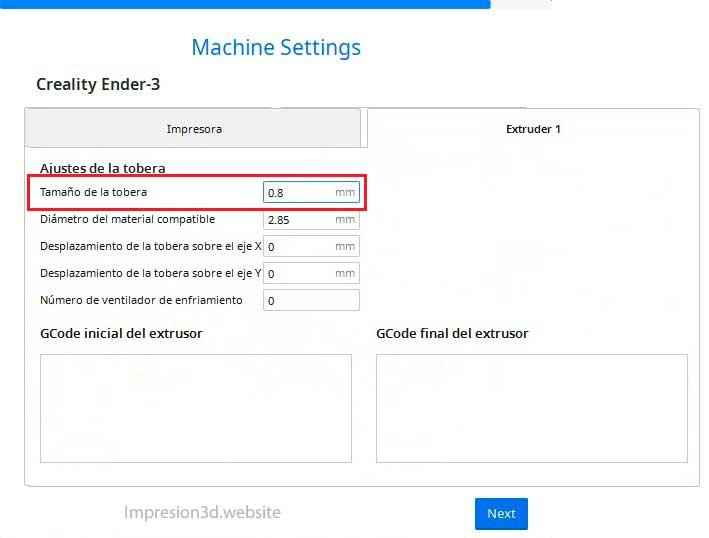
And this is how the nozzle size was configured in earlier versions of Cura Ultimaker.
For this reason, to avoid having to manually change this setting, it was easier to add the same printer multiple times but with different nozzles, making it easier to switch printers than to switch nozzles.
YouTube Videos: Electronica4All
To supplement your reading, I recommend checking out the following post: How to Clean a 3D Printer Nozzle (All Options)
Responses