Spiralize the outer contour – Cura's “Vase mode”

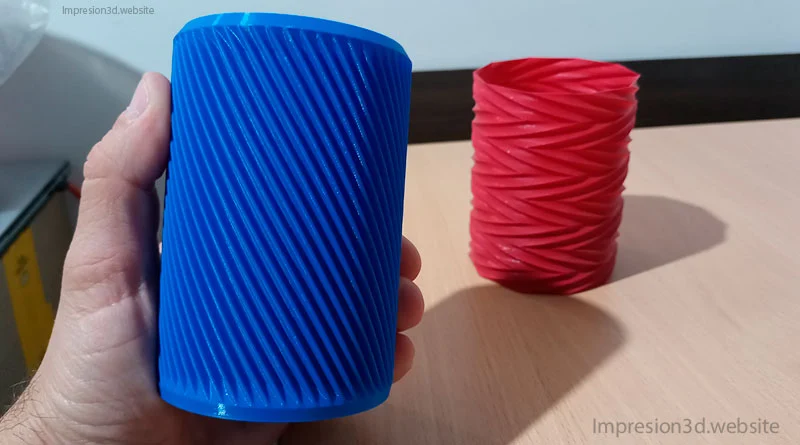
One of the special modes in Cura is “spiralize the outer contour,” which is also known as “Vase mode” or “Vase mode,” and It is mainly used for 3D printing vases..
Spiral printing the outer contour first prints all the lower layers of the base (of the 3D model) and then begins printing a single wall, moving upward along the Z-axis in a spiral pattern until it reaches the top.
This special curing mode saves material and time because it uses a single wall spiral-shaped and 0% filler.
How to Enable “Spiralize Outer Contour” in Cura
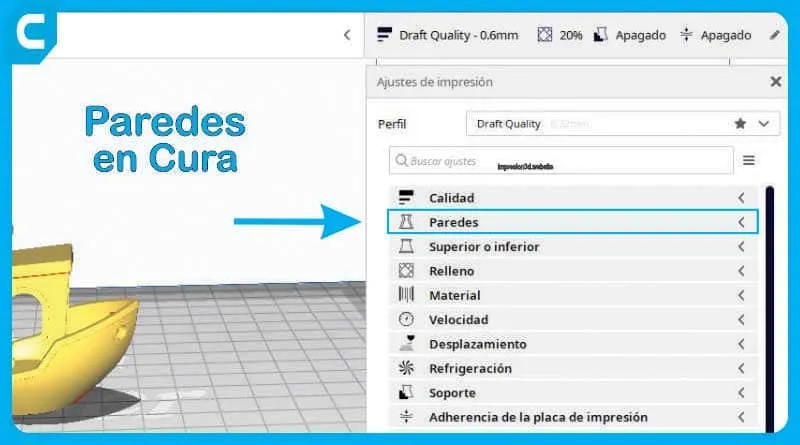
In Cura's print settings, go to “Special Modes” and enable “Spiral Outer Contour.”
This mode will not work with every 3D model, since it does not use retraction or extruder travel.

You can check out models at Thingiverse to download.
YouTube video: 3DJake
Recommended Settings
Remember that not every model can be spiralized; you must choose models designed for that purpose and configure the necessary settings to ensure a successful 3D print.
Once you have your STL file ready for printing, use the following settings:
(The following settings are not waterproof)
- Coat length: (whichever one you want)
- Line width: 0.4 (can be increased to 0.6 with a 0.4 mm nozzle)
- Wall thickness: 0.8 mm (Can be increased to 1.2 mm with a 0.4 mm nozzle)
- Upper layers: 0
- Lower layers: 4
- Speed: between 30 and 50 mm/s
- Filling: (The filling function is disabled when spiralize mode is activated)
- Spiral the outer edge: Enabled
(The following setups may be waterproof (you'll have to experiment))
- Coat length: (between 0.05 mm and 0.1 mm) The layers must be very thin
- Heated Bed: 60 °C
- Hotend: 225 °C for PLA
- FLOW: 130%
- Lower layers: 5
- Fan speed: 100%
- Filling: (The filling function is disabled when spiralize mode is activated)
- Spiral the outer edge: Enabled
Things to Keep in Mind
- The printed models will be fragile, since they will have only a single wall.
- Liquids can seep through the sides, so they wouldn't work as vases.
- You can print one model at a time, since the nozzle makes a single continuous movement.
- You can also make other items, such as small organizers.
What Can Be Printed
Cura's "Spiralize Outer Contour" mode is ideal for 3D printing vases, pots, lamps, or flower vases.
Below, you'll see some examples created using this special mode.
- Vases or pots

by eggnot
- Containers or bottles

- Planters

by Julian1111
- Lamp holder

- Stackable organizers

by EnginEli
- Beer Can Holders (or Pens)

- Skull-shaped container

by C47_3D
- Drawer organizers

- And if you look, you're sure to find more printable templates in Spiral Mode…
Practical Assignment:
Choose a model to print in “Spiralize Outer Contour” mode and give it a try.
I invite you to read How to Activate and Configure Hair Straightening in Cura A post you might find interesting.
Responses