Moisture in 3D Printing Filaments: Main Consequences

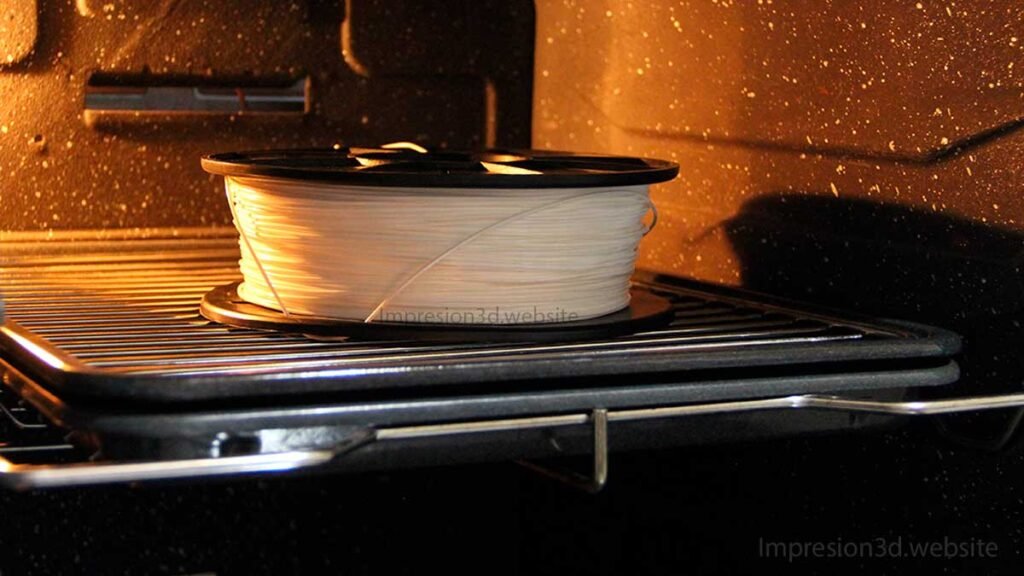
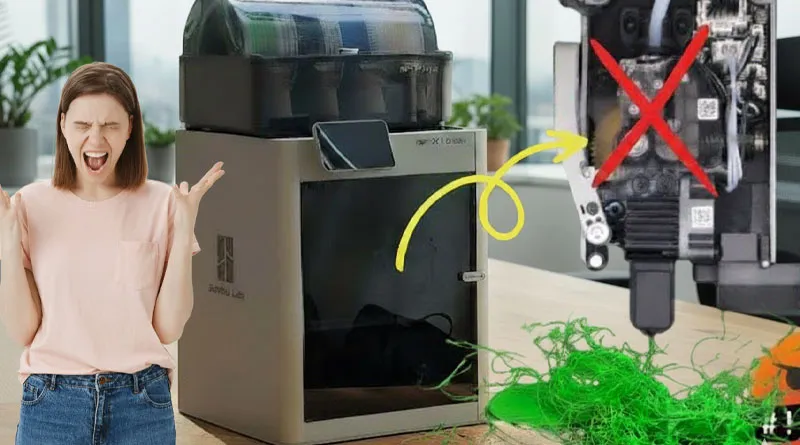
The main consequences of moisture in the filaments are: Layers that don't adhere, strings, uneven walls, excess filament in the form of bubbles or blobs, cracks or holes in thin walls.
Many 3D printing filaments have hygroscopic properties, which means they can absorb water vapor molecules and cause problems with your 3D prints.
Humidity refers to the amount of water vapor in the air; this can easily damage your filaments if you don't take certain precautions when storing them.
How to Tell If My Filament Is Damp
Prints made with damp filament may have stringing, layers that don't bond properly, and thin, uneven, brittle walls; air bubbles and layer delamination may also occur.
- Preheat the hot end to the temperature appropriate for your filament.
- Load the filament until it comes out of the nozzle.
If there is a presence of “Bubbles that burst” When it comes out of the nozzle—just like oil when it boils and makes that very distinctive sound—it's because Your filament is damp.
It's quite possible that if you leave your filaments in the printer's filament holder or stacked on a shelf are damp.
In the case of filaments such as the PetG o Nylon You'll notice that the filament is a little softer than usual. Unlike the PLA It may have other symptoms, such as splitting or breaking for no apparent reason. In any case, if a strand is very damp, you can follow these steps to find out.
Effects of Moisture on Filaments
Now let's take a practical look at the main consequences of moisture in your filaments.
- A series of small pops when printing.
- The extrusion lines are irregular. (Cracks and voids occur.)
- The layers don't stick together well. (They come apart.)
- Printed parts lose their hardness and break easily.
- An excess forms in the shape of bubbles, or “blobs.”.
- It can cause stringing in your prints
- Jams in the hot end due to an increase in filament diameter.
- Your filament degrades rapidly due to microcracks.
Not all filaments absorb the same amount of moisture from the environment. This varies depending on the type of material; for example: The Nylon, PVA y flexible filaments They are more likely to absorb moisture, perhaps even overnight. PLA, on the other hand, absorbs less moisture than the materials mentioned above.
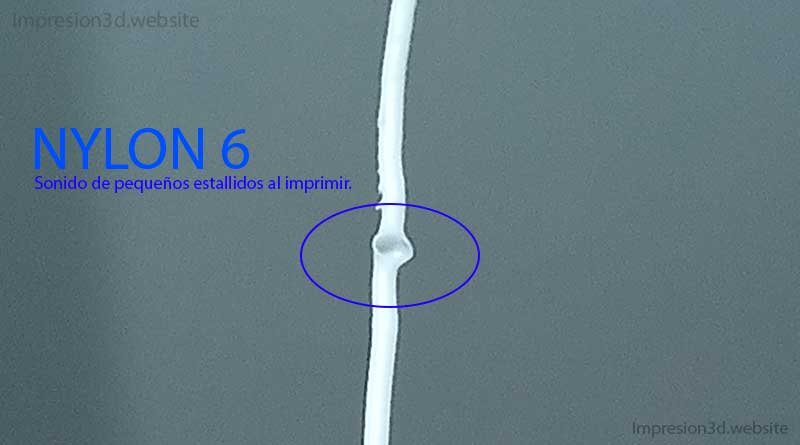
1) A series of small popping sounds when printing, “Bubbles That Pop”
This happens because those tiny droplets of water trapped inside the filament evaporate suddenly as they pass through the hot nozzle.
This causes the filament to burst, releasing the water vapor contained inside it.
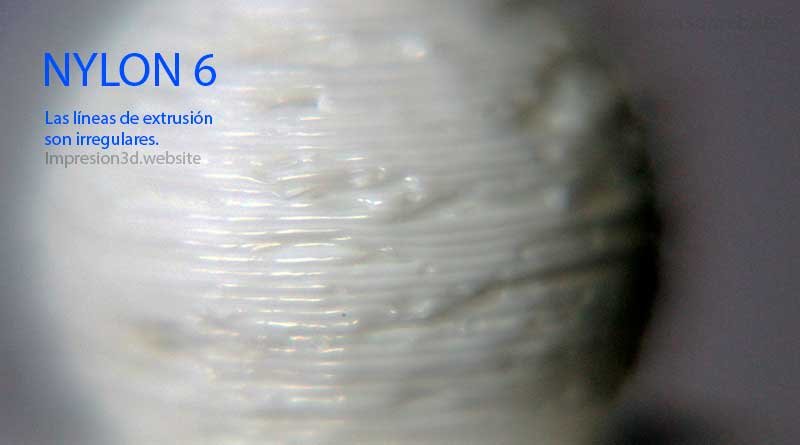
2) The extrusion lines are irregular. (Cracks and holes appear.)
After the moisture vapor in the filament explodes, the outer walls of the part will be misshapen.
Its texture will be rough, uneven, and poorly finished.
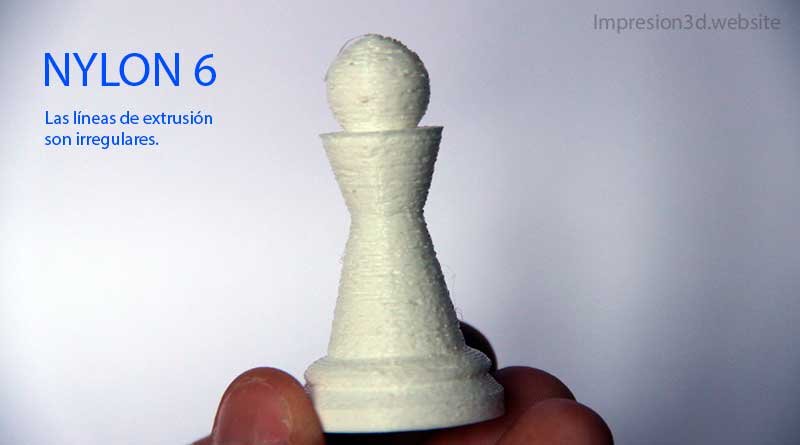
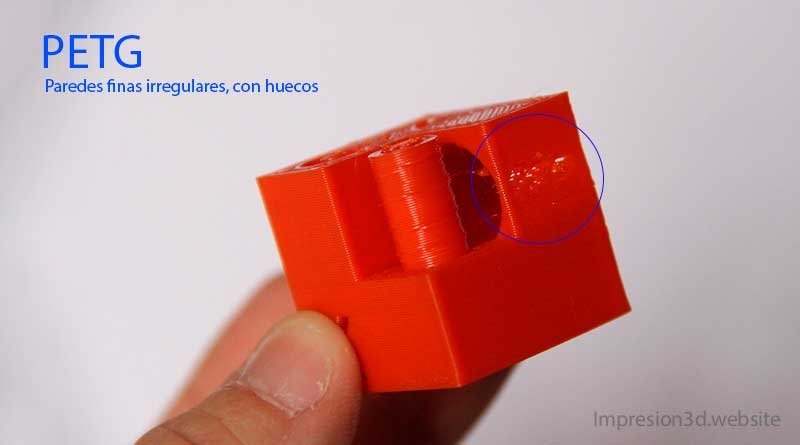
With a material like PETG, it may not be as noticeable as it is with nylon, but if it's your turn print thin walls, you'll see how Holes or cracks appear in the exterior walls, which can easily be mistaken for under-extrusion.
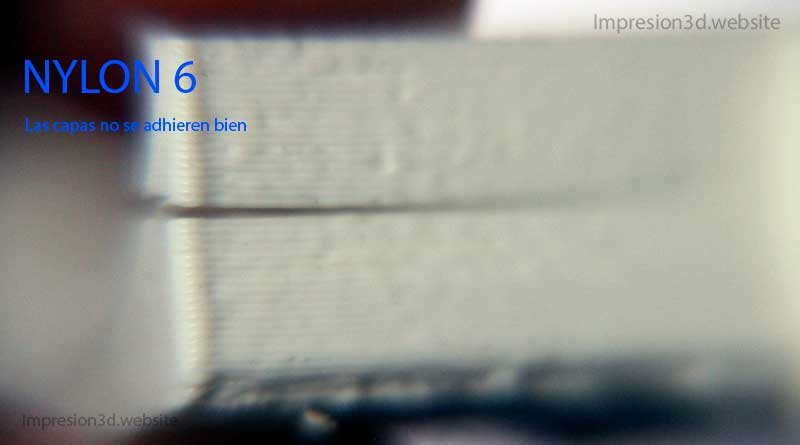
3) The layers don't stick together well. (They come apart.))
Another adverse effect of moisture on filaments is that it promotes delamination. This is especially true for filaments that can absorb a lot of moisture, such as nylon.
4) Printed parts lose their hardness and break easily.
In some cases, especially when printing models with thin walls, moisture can contribute to a loss of strength or layer adhesion, causing the layers to break easily.
5) An excess forms in the shape of bubbles, or “blobs.”.
This is related to the previous points: those same steam explosions will create an uneven surface, and if you look closely, you can see excess extrusion in the form of bubbles.
6) It can cause stringing in your prints
I want to clarify that there are several reasons why “strings” appear in your prints, but even though humidity isn’t the only reason, It has a lot to do with it.
(See: Strands in 3D Printing (and How to Avoid Them))
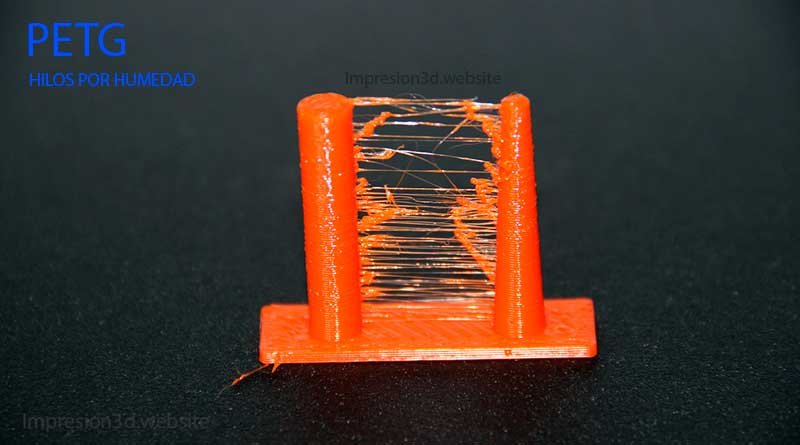
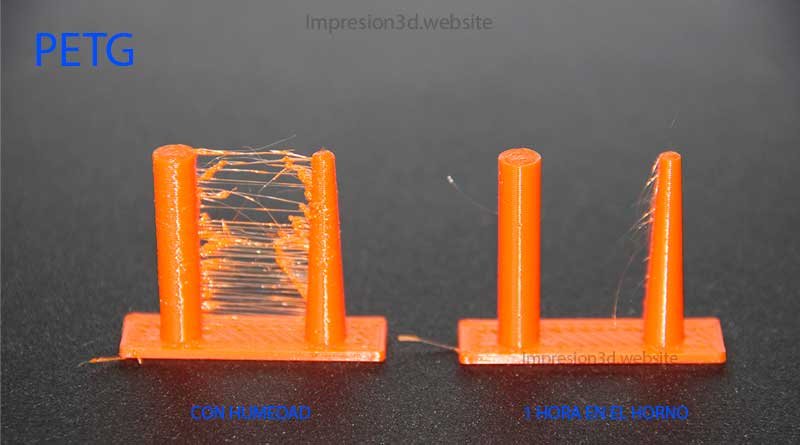
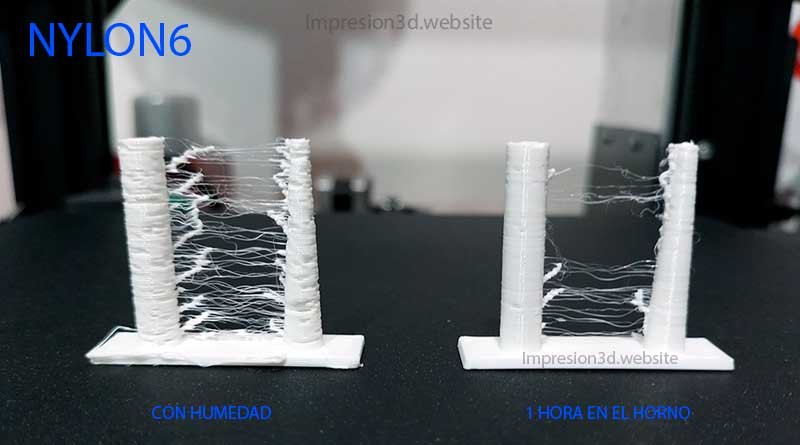
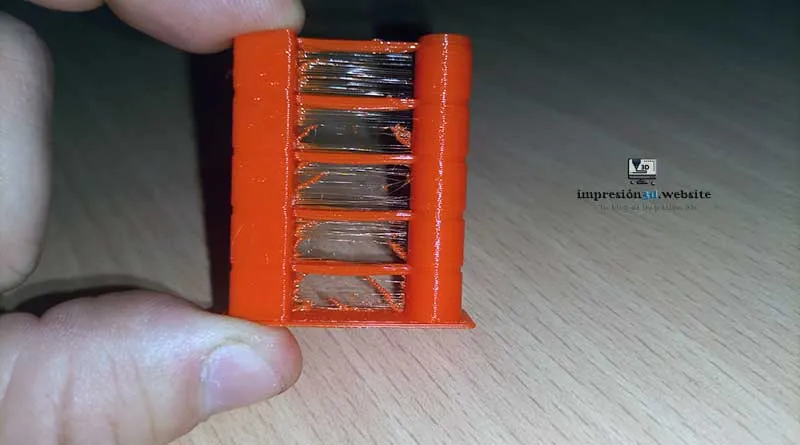
If you'd like, you can try printing some towers to compare the before and after to dry your strands.
Below are two images for you to compare.
7) Your filament degrades rapidly due to microcracks.
Maybe this has happened to you: when printing with PLA, the filament breaks for no apparent reason. But this can happen for several reasons, such as tangles on the spool.
You'll notice that after feeding filament back into the extruder, It cuts out again, even while you're putting it on.
How to Dry Damp Filament
Probably the easiest way to dry filament Place the filament in your home oven, set the temperature to 45 °C (for PLA), and let it sit for 4 hours until the humidity let it evaporate.
What should you do if your filaments have already absorbed moisture? Don't throw them away, and don't rush out to buy new spools. Instead, learn all the ways to dry filament and keep the ones you already have dry. Keeping your filaments dry and free of moisture can help prevent them from degrading and ensure they retain the strength and quality they had when you bought them.
To dry filament, you need to remove all the moisture it has absorbed. To do this, you'll need a few tools or methods.
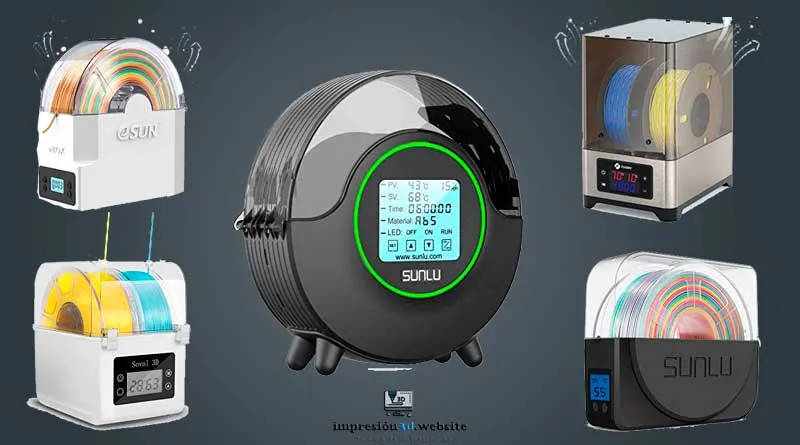
1- 3D Filament Dryer
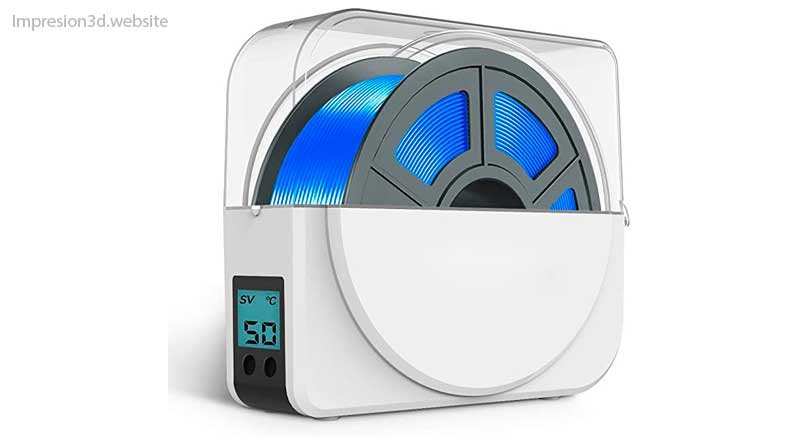
This may be one of the most effective and safest ways to remove moisture from your filaments, since these devices are specifically designed to perform this function.
These types of boxes can keep the filament dry and free of moisture, since they have their own built-in heater, which you'll need to set to the desired temperature.
Once the dryer has finished its cycle, you can use the filament, which is now moisture-free.
In some cases, this type of spool holder can be used in conjunction with the printer, since you can place the filament spool inside it; the spool holder has rollers that allow the filament to rotate as the printer uses it.
You can view the different models and prices of filament printers on Amazon.
Here's a list of the best-selling filament dryers:
2- Kitchen Oven
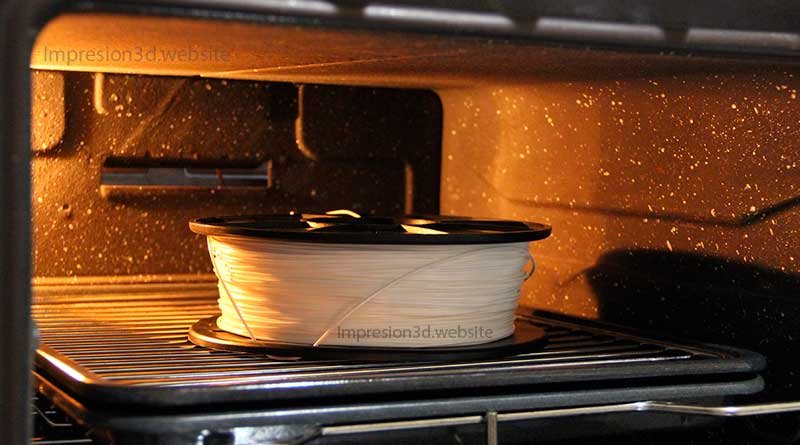
It may not be the most effective or safest way to dry your filaments, but it's one of the most accessible items anyone can have and use at home without spending any money.
At this point, I'd like to clarify something: I think we need to be very careful and place special emphasis on the issue of safety.
Never turn on the oven and leave your filaments unattended, as you could completely ruin your filament spools or even start a fire.
It was just a clarification, since I think it's very important.
You should set the temperature in your oven based on the type of material you want to dry.
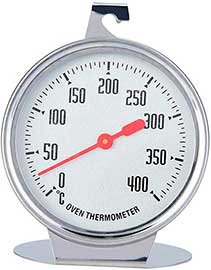
Of course, Not all ovens come with a thermometer., In these cases, you'll need to purchase a separate thermometer (which hangs inside the oven) to get an idea of the temperature inside and thus be able to adjust it.
A few things to keep in mind:
- Remember to take everything out of the oven BEFORE turning it on.
- After turning it on, wait for it to reach the desired temperature.
- Once ready, place the filament on a flat surface.
- The oven gets really hot. DON'T BURN YOURSELF
- If the temperature is too high, THE ROLL WILL WARP.
- When you're done using the oven, DON'T FORGET TO TURN IT OFF.
3- Food Dehydrator
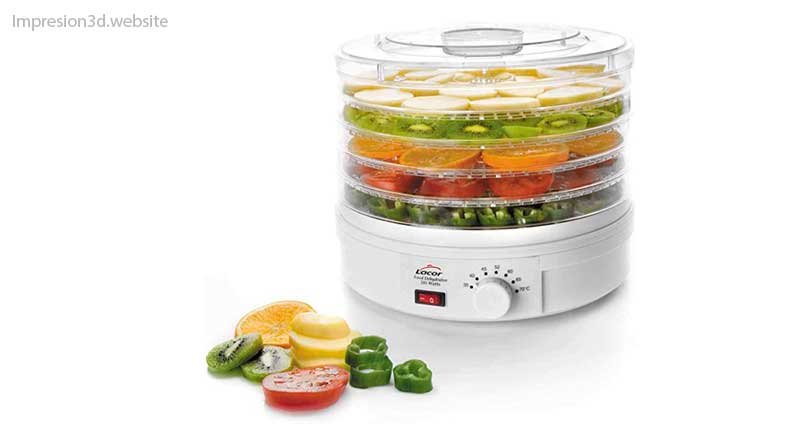
A food dehydrator is ideal for “to dry” heating elements, since the temperature can be adjusted on many of them, thereby serving the same purpose as a kitchen oven—but perhaps with a little more safety, since no open flame is involved.
Depending on the country where you live, you'll need to determine which option is cheaper, since in some places It may be cheaper to buy a strand dryer than a dehydrator.
YouTube Channel: 3D Bugeo
The options presented here, which were not specifically designed to remove moisture from the filaments, may fail or result in temperatures that differ from those desired.
For that reason, I want to clarify that with these last two options (the kitchen oven and the food dehydrator), there must be a process of trial and error, since nothing will be 100% certain
4- Is the build plate on your 3D printer hot?
While writing this post, I was watching a video on YouTube of someone suggested that our printer's heated bed can be used to dry filaments, since on many printers the temperature of the heated bed It can reach up to 110 degrees Celsius.
Is that possible? To be honest, I haven't tried it, but it seemed interesting to me, so I wanted to tell you all about it. What do you guys think? Has anyone tried it?
YouTube Channel: Ricky Impey
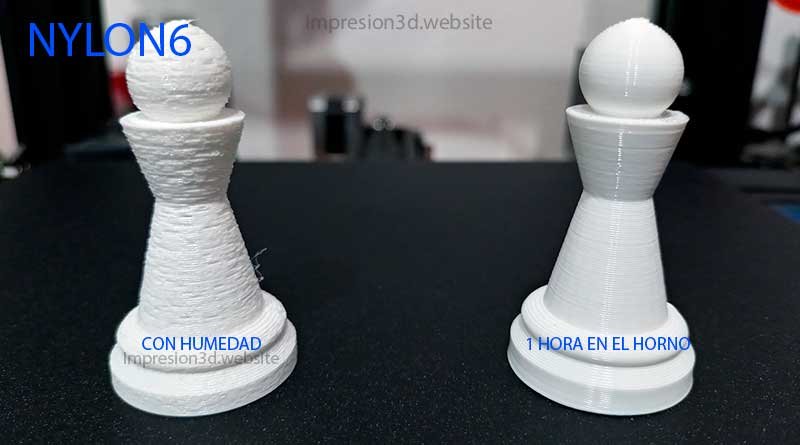
Before-and-After Photos of the Filaments After Drying
How to Store Your Filaments
If you've been able to remove the moisture from your filaments, or if you've bought a new spool, How will you keep them from being affected by the humidity?
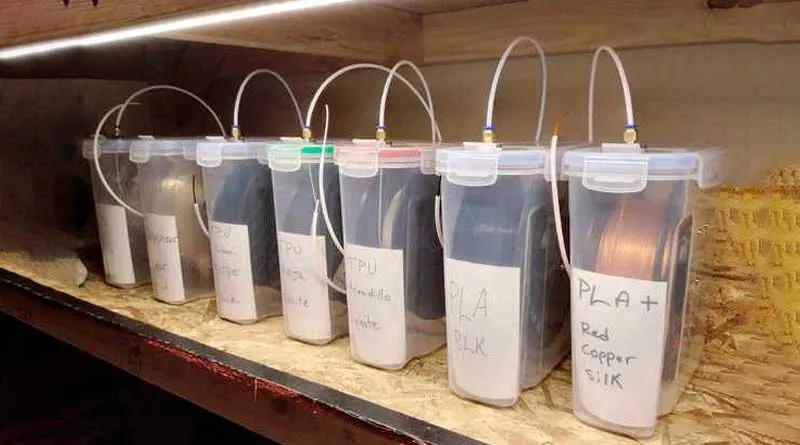
It's important that after dehumidifying, drying, or dehydrating your filaments, Store them in an airtight container; preferably one filled with desiccant or “SilicaGel”.
I discuss this topic in more detail in the post: “How to Store 3D Printing Filaments”I invite you to read it, as it might be of interest to you.".
Conclusion on Moisture in the Filaments
If you don't protect your filaments, humidity will cause problems, as the quality of your prints will be affected by various issues, such as those already mentioned:
- Rough or uneven walls
- Layers that don't stick well or peel off
- Excess thread in your prints
- Cracks
- Bubbles
- Items that break easily.
If you won't be printing for a while, remember:
- All filaments They are prone to absorbing moisture.
- Don't leave your filaments in the printer's spool holder, because sure will absorb moisture.
- Filaments that are very damp will “boil” when heated and form bubbles.
- If you suspect that your filament is damp Try Drying It.
- You can buy a filament dryer, Food dehydrator or use the oven to dry them (with great care and temperature control)
- Store your filament in an airtight container with moisture-absorbing packets.
I invite you to read: The Best Cura Settings for Beginners o How to Calibrate the Flow for More Accurate Prints.
Recommended publications:

[…] One of the reasons PLA filament can break is humidity; I invite you to read about it here. […]