How to Tell If a 3D Printer Is Properly Calibrated

You probably know how important it is to have a properly calibrated 3D printer to achieve high-quality results in your projects.
Proper calibration ensures that all of the printer's moving parts work in harmony, resulting in precise and detailed prints.
To determine whether a 3D printer is properly calibrated, you should print some calibration tests and analyze the results. It is best to start with a leveling test to verify that the printer bed is level.
In this article, I'm going to show you how to tell if your 3D printer is properly calibrated and what tests you can run to make sure it's in top condition.
Why is calibration crucial for a 3D printer?
A miscalibrated 3D printer can produce defective prints, wasting time and material without achieving the desired results. Furthermore, improper calibration can lead to mechanical problems with the printer over time, which may result in costly repairs or even the need to replace components.
When a 3D printer is properly calibrated, all axes (X, Y, Z) and the print bed move precisely and over the exact distances required.
This prevents common problems such as misaligned layers, over-extrusion, or under-extrusion, and ensures that your printed models match the desired dimensions and shapes.
How can you tell if your 3D printer is properly calibrated?
To find out if your 3D printer is properly calibrated, you should print a few quick test models so you can analyze the results and draw a conclusion.
Although there are some tests you can print—such as 3DBenchy—I I would recommend that you start with a placement test, to check whether the printer bed is properly leveled.
These print tests will let you know if your 3D printer is properly calibrated:
1. Placement Test:
A leveled print bed is essential for achieving uniform prints across the entire surface.
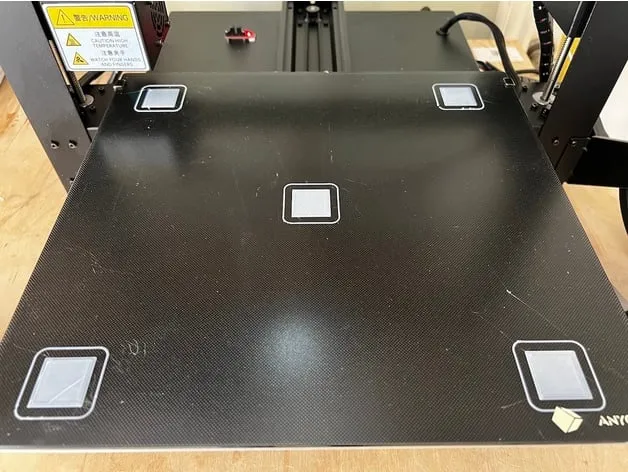
You can perform a leveling test by manually adjusting the nozzle height at different points on the bed and printing a test layer.
If the distance between the nozzle and the bed is uniform at all points, the bed will be properly leveled.
2. Dimensional test:
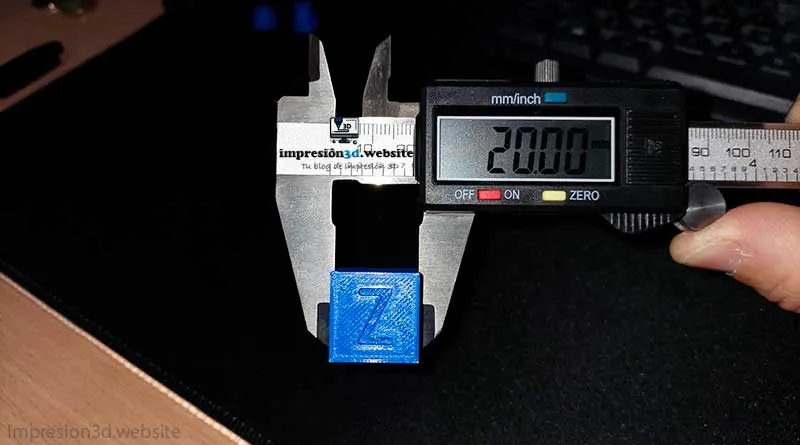
Another super-fast test is to print a 20-mm XYZ cube.
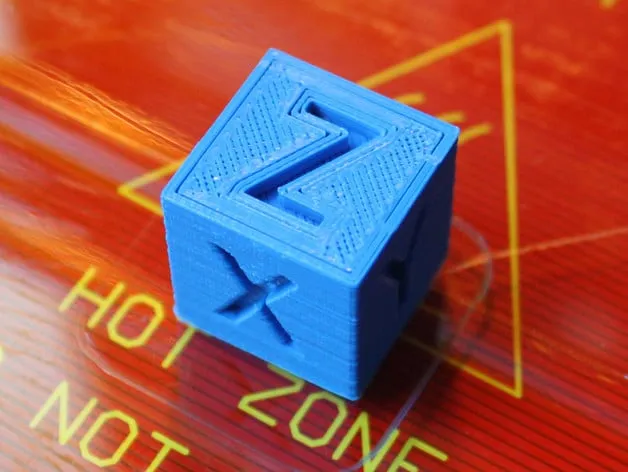
To check the dimensional accuracy of your 3D printer, Print a 20x20x20 mm cube, and then measure the printed dimensions with a precision caliper.
If the measurements do not match the specified values, it may be necessary to calibrate the motor steps on the axes.
3. Wire Test:
Print a test page and check for loose threads filament between nozzle movements.
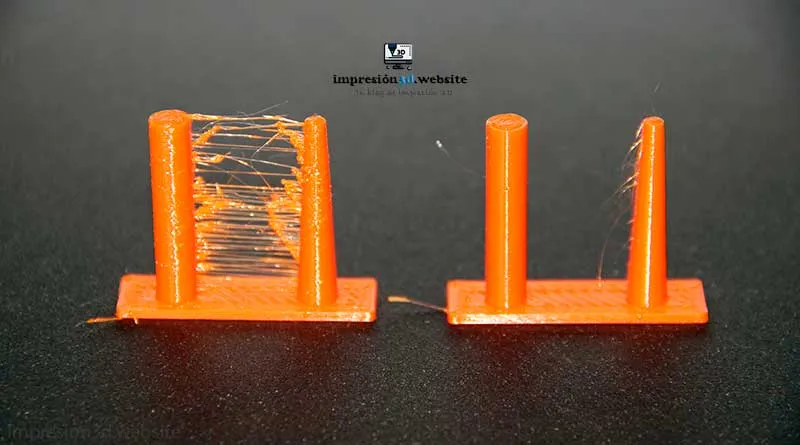
Retractions are crucial for preventing problems such as stringing (strands of material between parts of the model).
Important: Remember that the filament must be new or free of “moisture.”.
If everything went well, you shouldn't see any wires between the two towers.
4. Fit test:
When you print a part that needs to fit precisely into another, you'll be able to tell if your 3D printer is properly calibrated.
When the fit test fails, it may be necessary to adjust the extrusion flow rate or even calibrate the extruder screws.
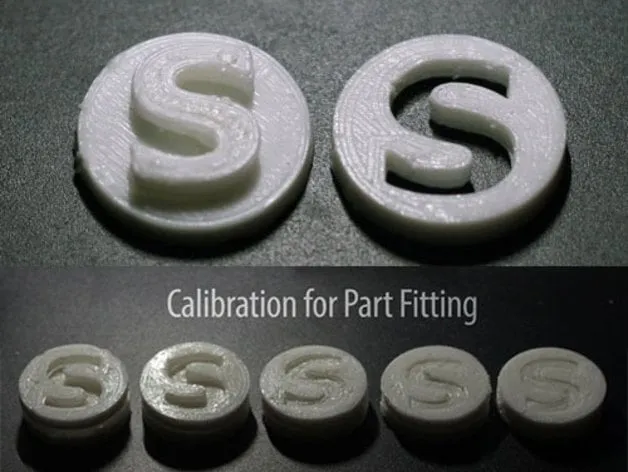
These types of problems are usually caused by over-extrusion or high flow settings in the print settings.
5. Temperature tower:
Make sure your printer is extruding the material at the correct temperature; this is essential for preventing adhesion and print quality issues.
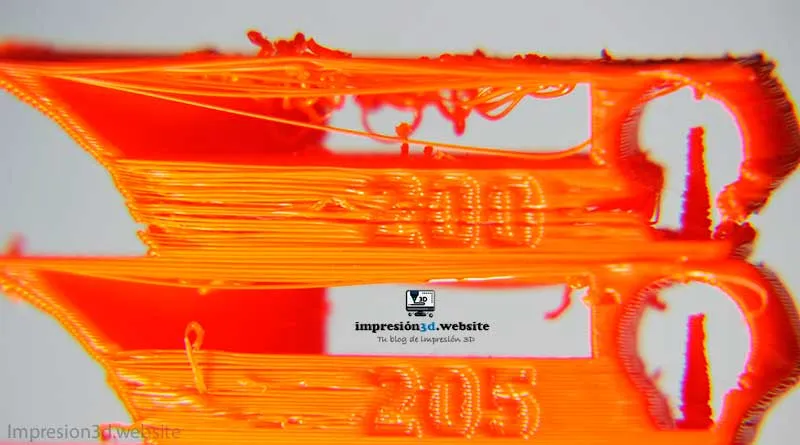
Perform a test print using different temperatures and observe how this affects layer quality and material adhesion.
An incorrect temperature could cause stringing or filament clumping in your models, along with other issues that may affect the visual quality of your prints.
6. Print a 3DBenchy:
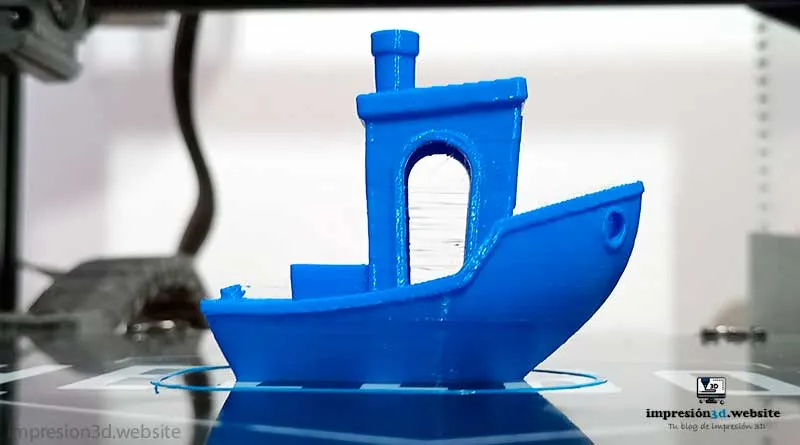
One of the most common ways to check your 3D printer's calibration is to print the 3DBenchy model.
This model is a miniature boat specially designed to test various aspects of the printer, such as dimensional accuracy, retraction, and surface quality.
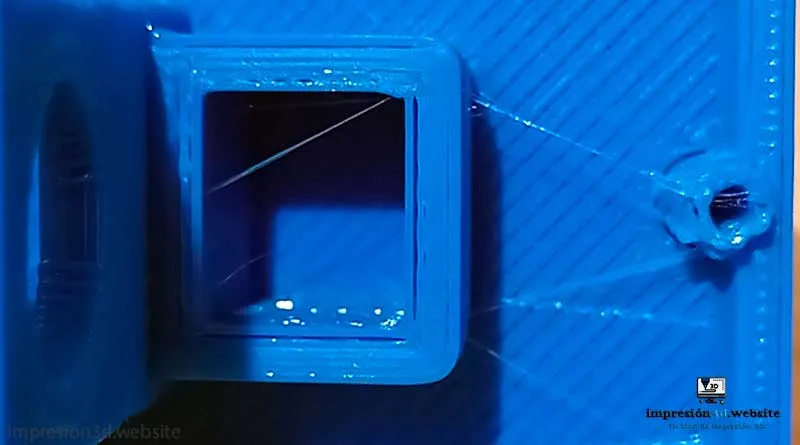
By printing the 3DBenchy and evaluating its appearance, you'll be able to identify potential calibration issues.
7. Print an All-in-One Test
.

In this test, you'll be able to analyze overhangs (that is, the maximum curve radius you can achieve without using supports), bridging between two points, supports, and dimensional tests, among other things.
Conclusions
Proper calibration of a 3D printer is essential for achieving accurate, high-quality results in your prints.
Running tests such as 3DBenchy, leveling tests, retraction tests, dimensional tests, bridging tests, stringing tests, and temperature tests will allow you to identify potential calibration issues and make the necessary adjustments to improve your printer's performance.
Remember that calibration is an ongoing process, and it's normal to make periodic adjustments to maintain the accuracy and quality of your prints over time.
Take the time to familiarize yourself with these printer settings and run tests regularly to make sure it's working optimally.
Frequently Asked Questions
1. Why is it important to calibrate my 3D printer regularly?
Regular calibration of your 3D printer is crucial to ensuring the accuracy and quality of your prints. A properly calibrated printer will prevent problems such as misaligned layers, stringing, over-extrusion, or under-extrusion, resulting in more accurate and detailed printed models.
2. How can I adjust the step size of the axis motors on my 3D printer?
To adjust the step sizes of the axis motors, you'll need to access your 3D printer's firmware. You can find step-by-step instructions on how to do this in this post: How to Calibrate the Extruder Steps.
3. How often should I perform calibration tests on my 3D printer?
The frequency of calibration tests will depend on the use and brand of your 3D printer. As a general rule, it is recommended that you perform calibration tests whenever you make significant changes to the printer's settings or after a certain number of prints to maintain the quality and accuracy of your models.
4. Are there any other test models besides 3DBenchy?
Yes, there are a variety of test models available online that will help you evaluate different aspects of your 3D printer. In addition to 3DBenchy, you can find test models for retraction, bridges, and overhangs, such as the ones posted above.
These models are useful for identifying specific problems and improving your printer's overall performance.
5. What should I do if my 3D printer continues to have printing problems after I calibrate it?
If you're still having printing problems after calibrating your 3D printer, there may be other factors at play.
Check to see if the nozzle and print bed temperatures are appropriate for the material you're using.
Also, make sure the material is of good quality and stored properly.
With these tips and calibration tests, you'll be on the right track to producing high-quality, precise 3D prints.
Remember that calibration is an ongoing process, and the time you spend keeping your printer in top condition will pay off in terms of satisfactory results for your printing projects.
Related publications:
- How to Properly Level the Build Plate on Your 3D Printer
- How to Maintain a 3D Printer: A Complete Guide
- How to Calibrate the Extruder Steps
- Strand Formation in 3D Printing (and How to Avoid It)
- Moisture in 3D Printing Filaments: Main Consequences
- How to Calibrate the Extruder Flow on Your 3D Printer to Produce More Accurate Parts
- Temperature Tower: Better Quality for Your 3D Prints
Responses